Manage and use credits within the app
Estimated reading: 1 minute
11 views
This document provides a detailed walkthrough on how to navigate and review your credit information using the credit management dashboard. You will learn how to check your available credits, view the renewal date, and monitor credit usage for your current period.
Step 1
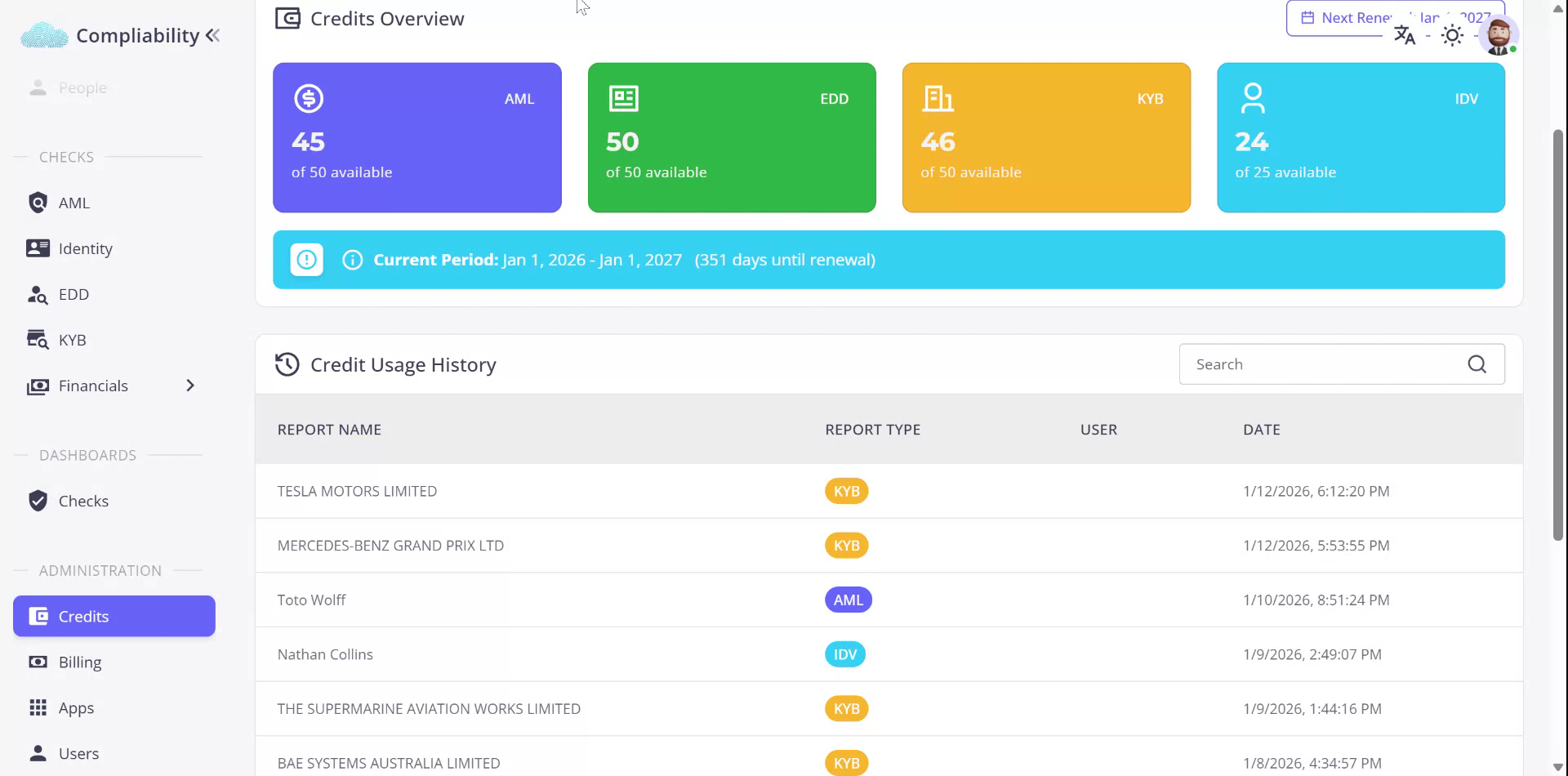
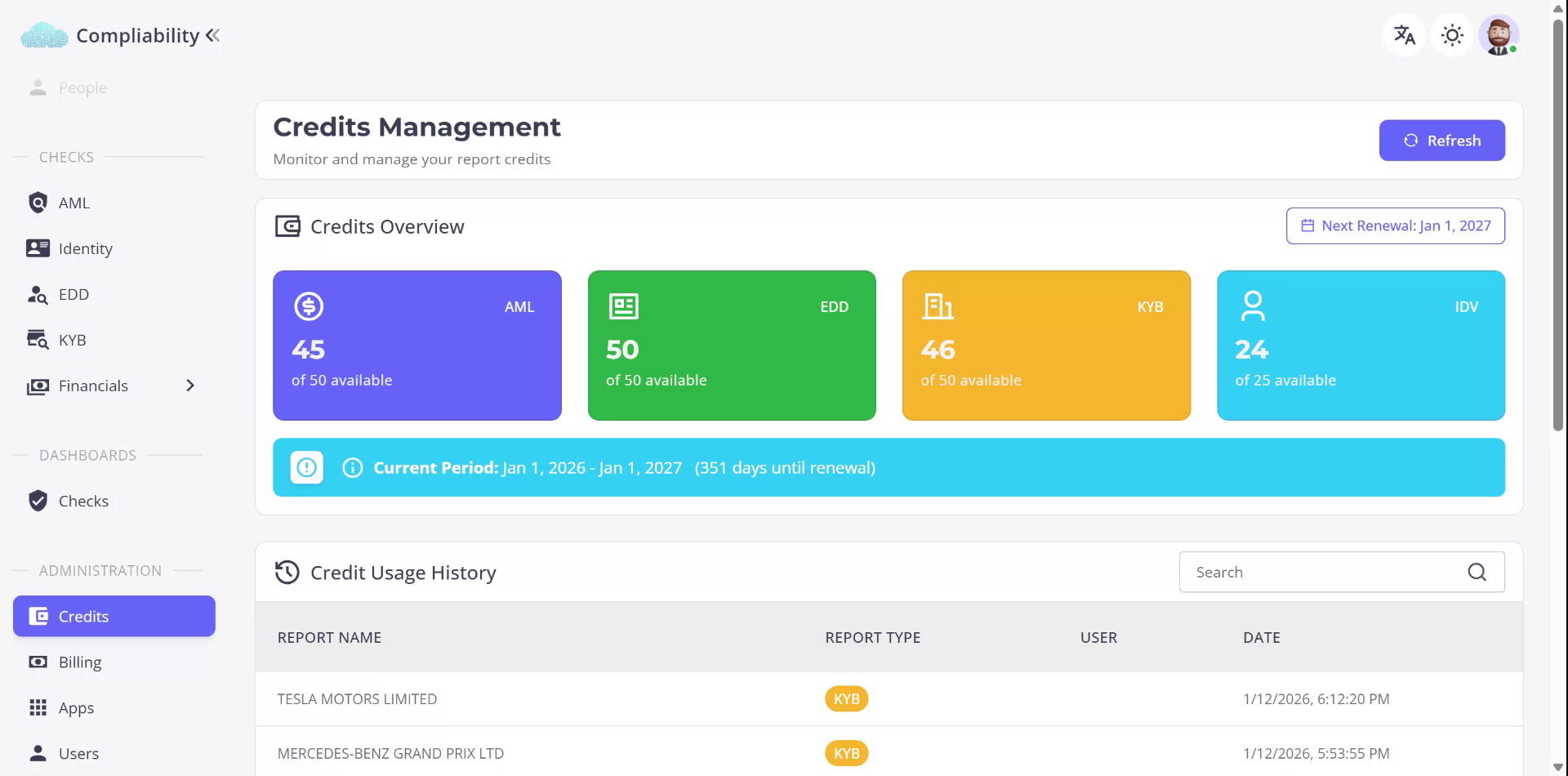
To review the status of your available credits, access the credit management dashboard through the Credits menu located on the left-hand side under Administration. Here, you will find the number of credits available for each of your check types as per your plan.
Step 2
View the next renewal date and the current period on the dashboard. Additionally, you can track how your credits have been utilized during the current period.