• Home
  • Documentation
    • Getting Started
    • Profiles
    • AML
    • Identity
    • EDD
    • KYB
    • Right to Rent
    • Right to Work
    • Proof of Ownership
    • Source of Funds
  • Home
  • Documentation
    • Getting Started
    • Profiles
    • AML
    • Identity
    • EDD
    • KYB
    • Right to Rent
    • Right to Work
    • Proof of Ownership
    • Source of Funds
Compliability App
  • Banner shape
  • Banner shape
  • Banner shape
  • Banner object
  • Banner object
  • Banner object
  • Banner object
  • Banner object
  • Banner object
  • Banner object

Compliability Knowledge Base

loading
  1. Home
  2. Docs
  3. Compliability Documentation
  4. EDD
  5. How to run an Enhanced Due Diligence EDD check
Updated on 18 January 2026
Compliability Documentation
  • Folder icon closed Folder open iconCompliability Documentation
    • Getting Started
      • Introduction to the Platform
      • Online Registration Guide
      • Selecting the Appropriate Subscription Plan
    • Profiles
      • Creating a New Company Profile
      • Creating a New Individual Profile
      • Guide to the Company Profile Page
      • Guide to the Individual Profile Page
    • AML
      • How to run an AML check on a Company?
      • How to run an AML check on an Individual?
      • Review a Company AML check?
      • Review an Individual AML
      • How to set Status & Risk on an AML check?
      • How to reconcile hits on an AML check?
    • Identity
      • How to run an Identity IDv check
      • Review and assess an IDv check
    • EDD
      • How to run an Enhanced Due Diligence EDD check
      • Review and assess an EDD check
    • KYB
      • How to run a Know Your Business KYB check
      • Review and assess a KYB check
    • Right to Rent
      • How to run a Right to Rent check
      • Review and assess a Right to Rent check
    • Right to Work
      • How to run a Right to Work check
      • Review and assess a Right to Work check
    • Proof of Ownership
      • How to run a Proof of Ownership check
      • Review and assess a Proof of Ownership check
    • Source of Funds
      • How to run a Source of Funds check
      • Review and assess a Source of Funds check
    • Credits
      • Manage and use credits within the app
    • FAQs

How to run an Enhanced Due Diligence EDD check

Estimated reading: 2 minutes 13 views
This document outlines the procedure for conducting an enhanced due diligence (EDD) check on an individual. The steps will guide you through accessing the individual’s profile, initiating the EDD process, entering necessary information, and submitting the Know Your Customer (KYC) check.

Step 1

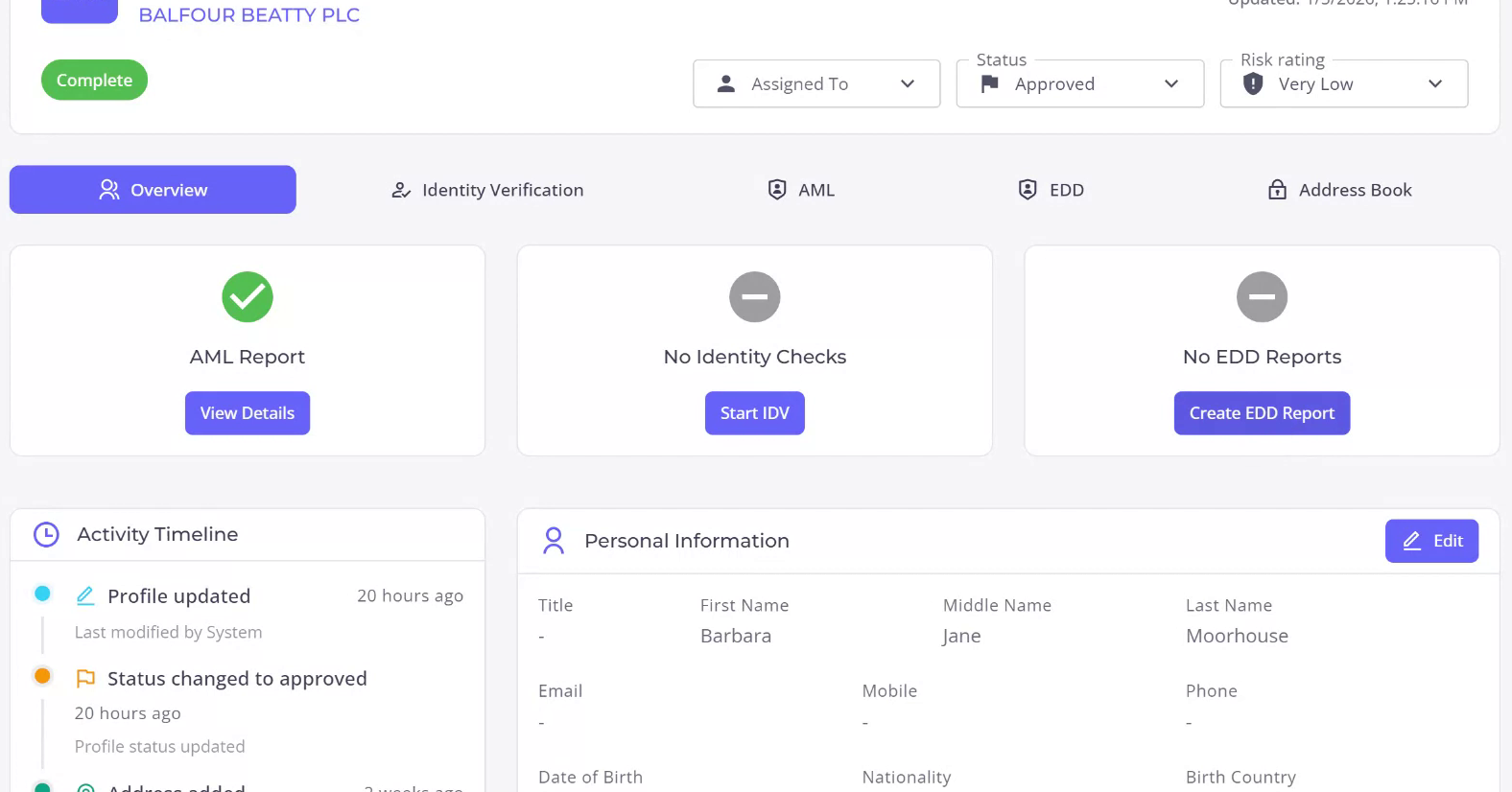
Begin by locating the individual’s profile from the list of available profiles. After identifying the profile, select it to access the individual’s details. Upon entering the profile, you will observe that no enhanced due diligence reports have been conducted thus far.
Step 2

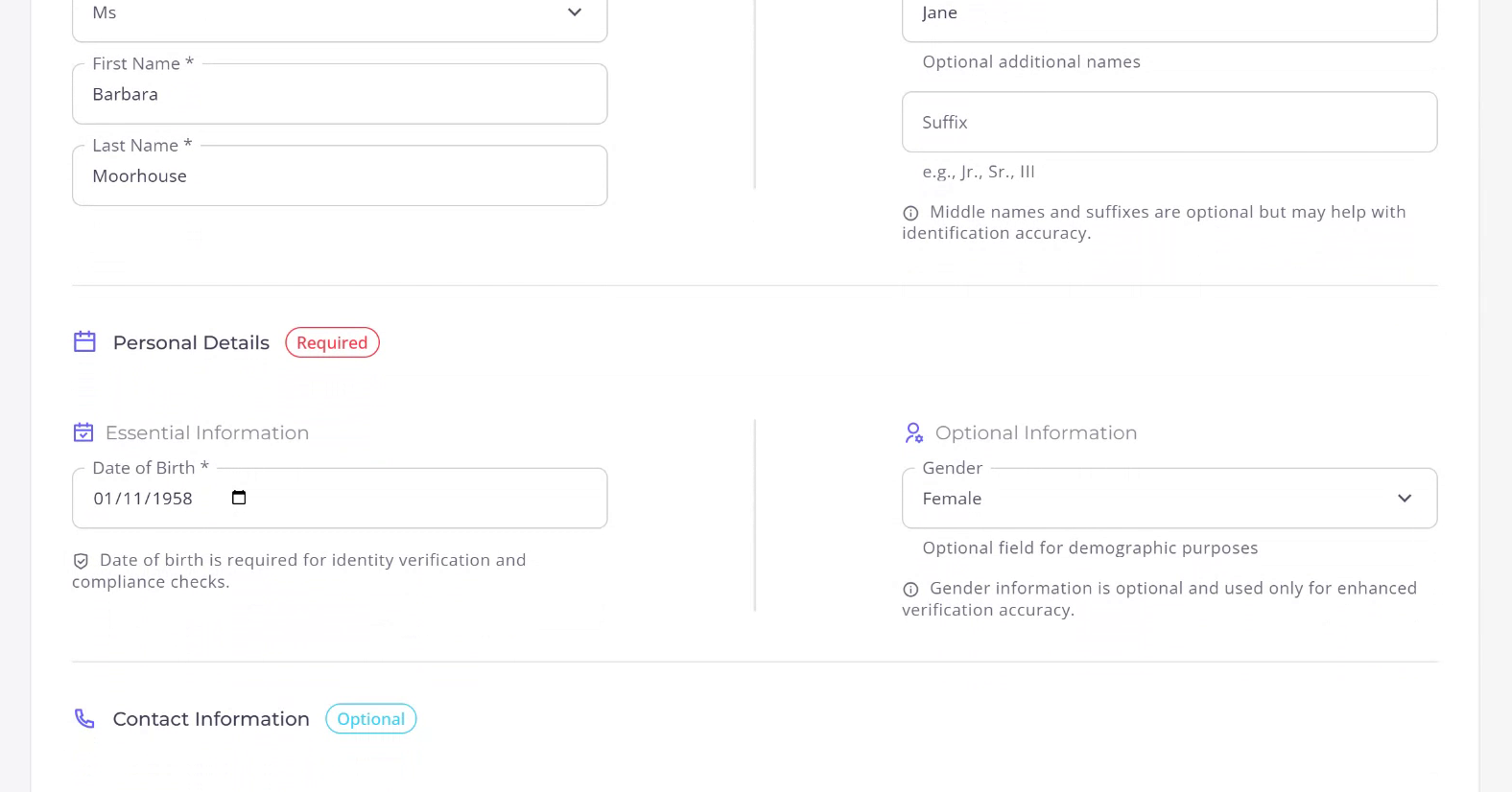
Initiate the creation of an EDD report by clicking the designated button. You will notice that much of the information has been automatically populated into the first form. If there are any discrepancies or updates needed, you have the option to amend this information accordingly.
Step 3

Review the information provided in the form. Some fields may be optional, while others are mandatory. Ensure all compulsory fields are correctly filled. Once satisfied with the information, proceed to the next stage.
Step 4

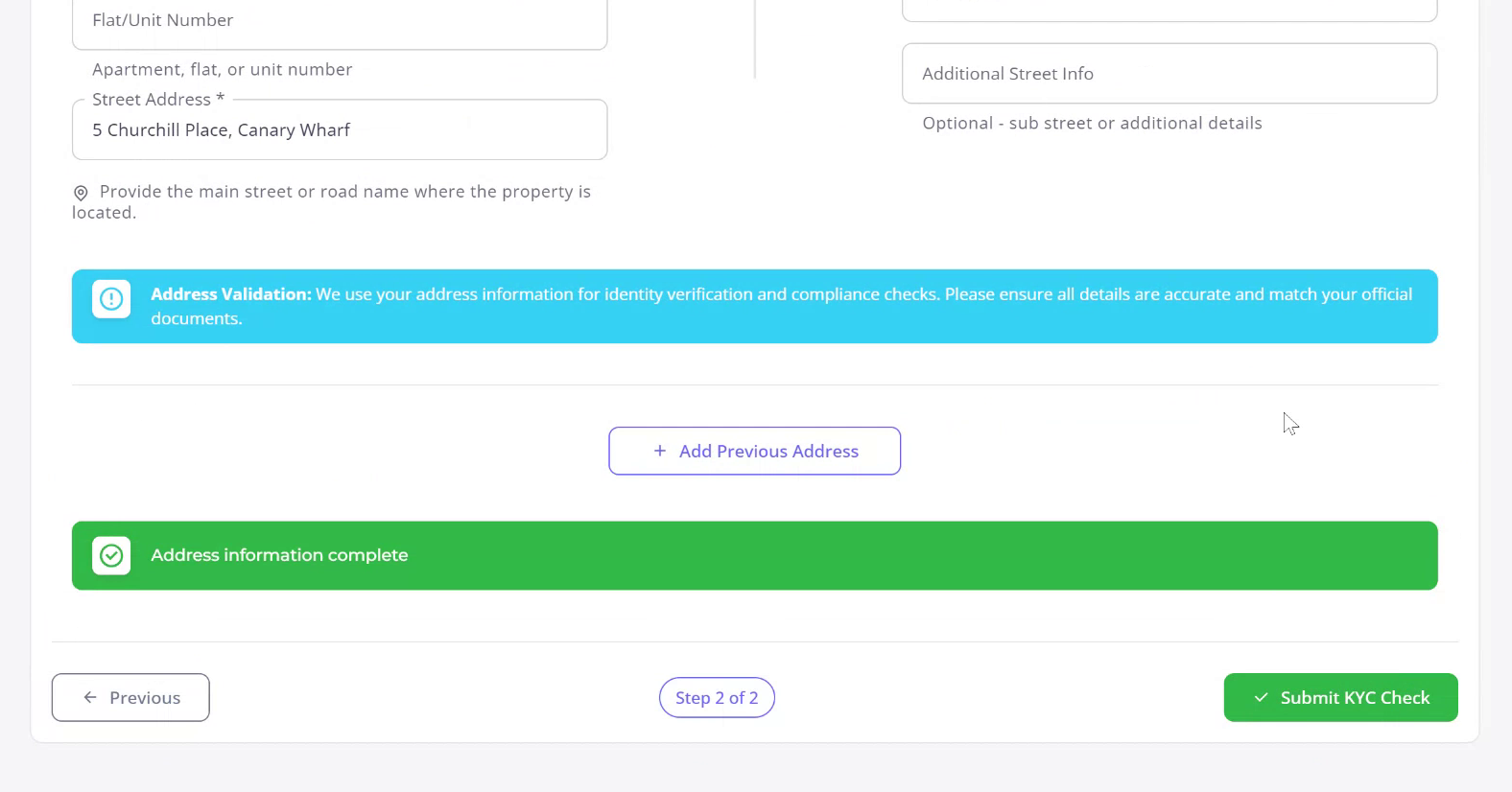
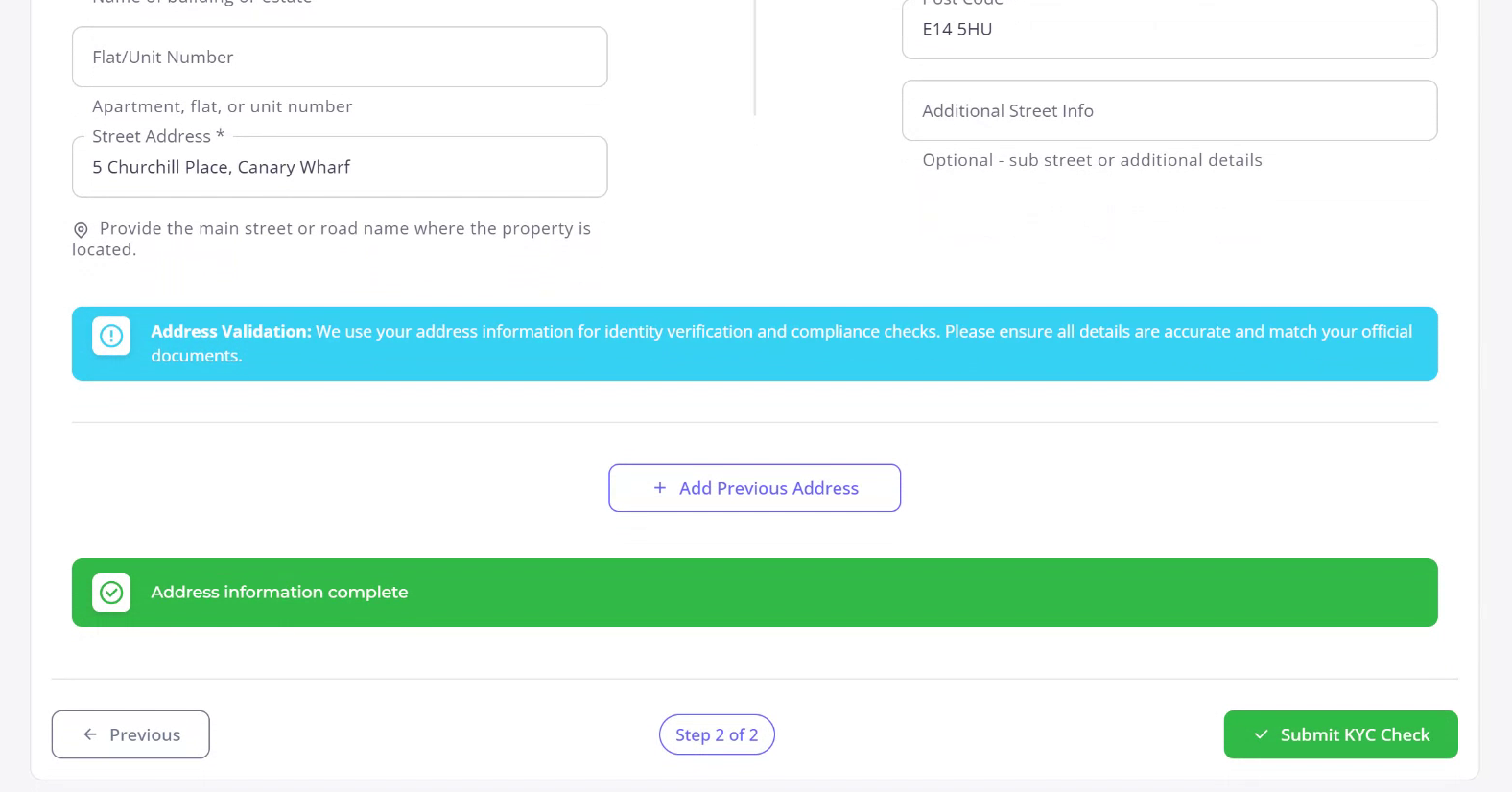
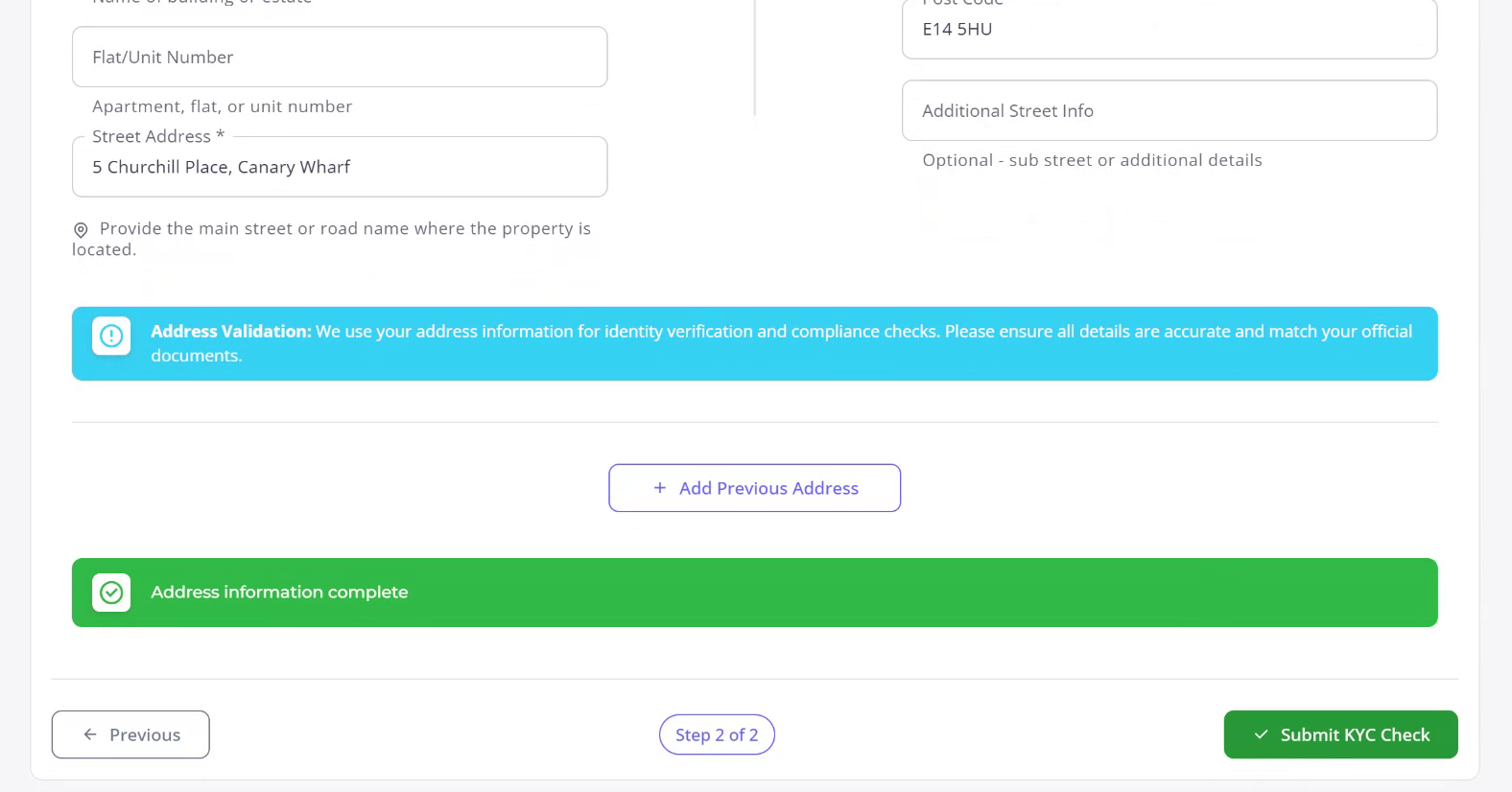
Proceed to the address information section. Here, you can either confirm the pre-filled details or provide new information if available. The data may have been automatically populated from the individual’s profile. If additional addresses are known, you can add them to facilitate the process.
Step 5

Once all the required information is verified and entered, submit the KYC check by clicking the submission button. This action will initiate the enhanced due diligence process.
Recently Viewed articles

  • Review and assess an IDv check
  • See More

Powered By EazyDocs