How to run an AML check on a Company?
Estimated reading: 2 minutes
31 views
This document outlines the process of performing an Anti-Money Laundering (AML) check on a company using a designated platform. Follow these steps to ensure compliance and thorough due diligence for your organization.
Step 1
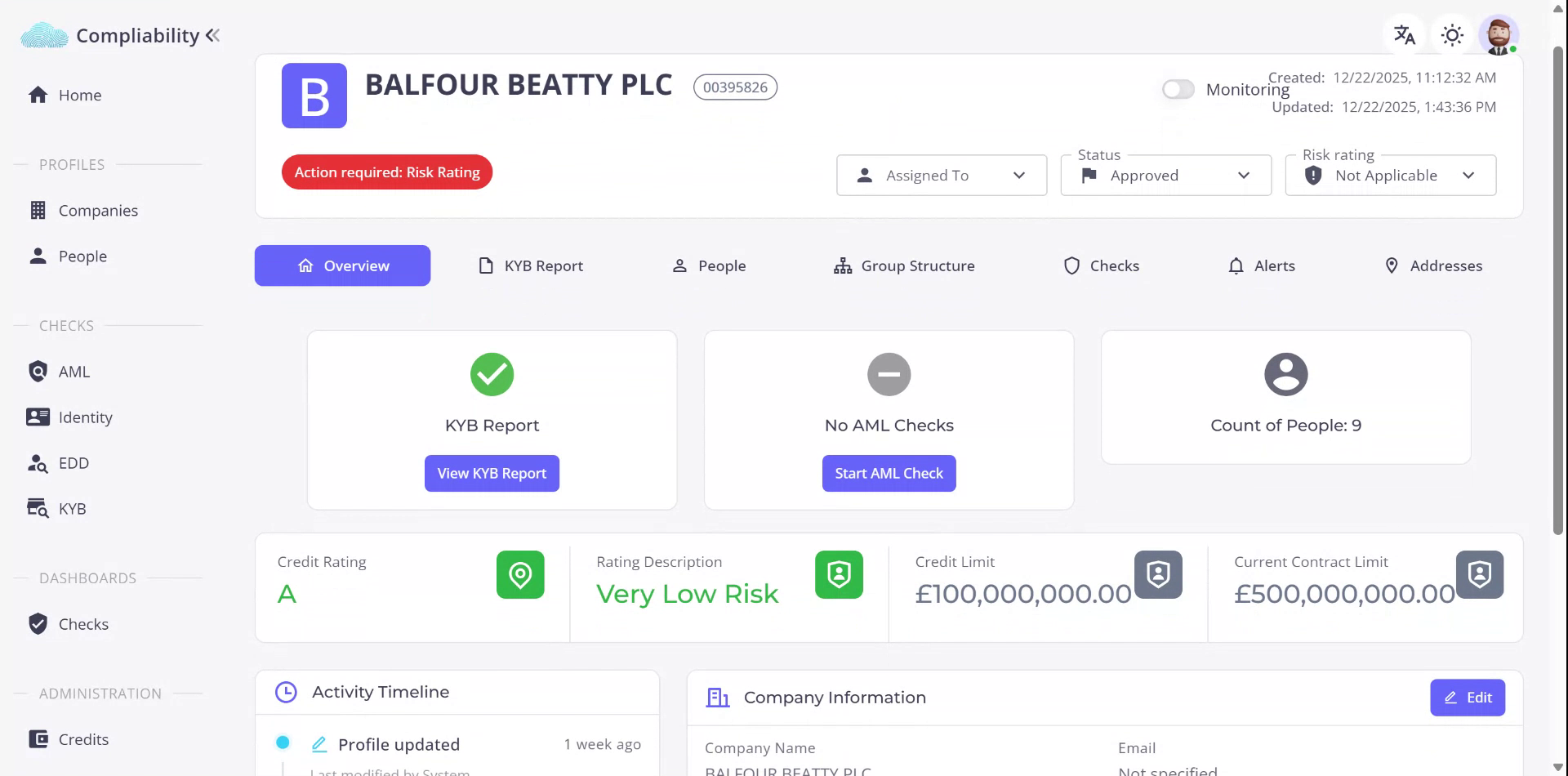
To initiate an AML check on a company, first locate the desired company on the platform. Once identified, select the company to proceed. In this example, we will be using Balfour BT as the reference company.
Step 2
Observe that a Know Your Business (KYB) report is available, but an AML check has not yet been performed. To initiate the AML check, click on “Start.” You will then be presented with options to choose the level of AML check to conduct.
Step 3
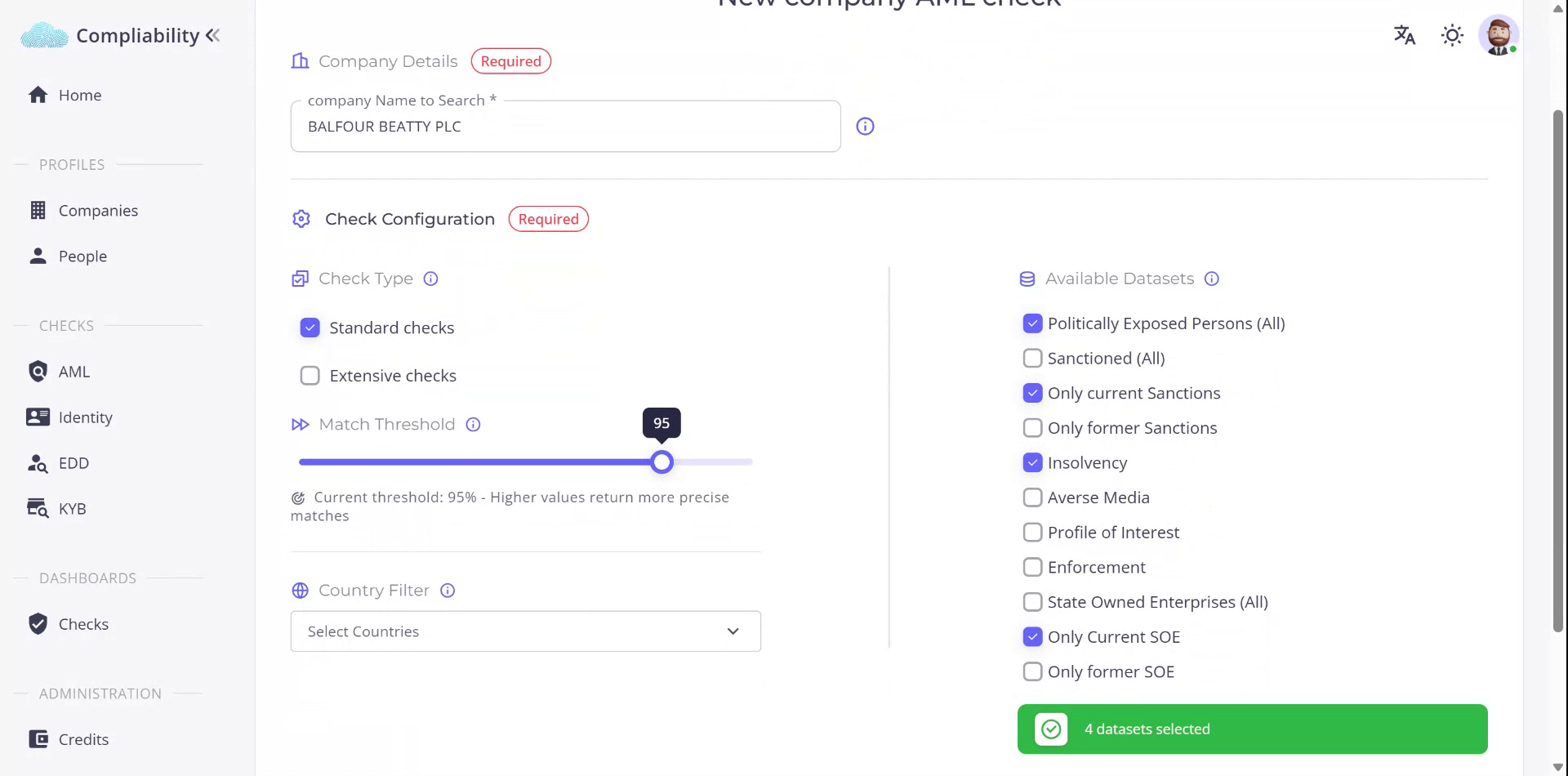
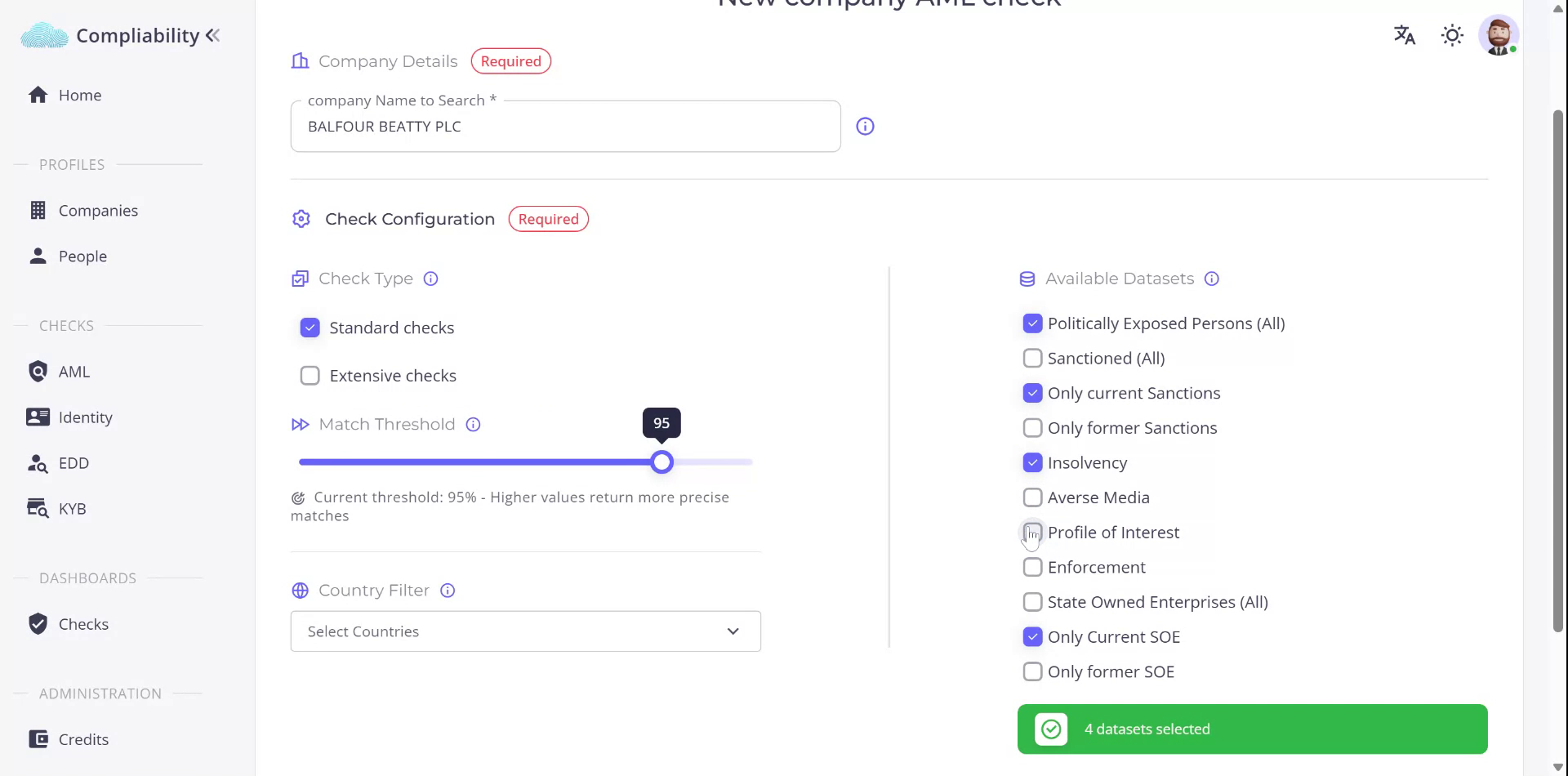
You can choose between standard checks and extensive checks. Extensive checks utilize additional datasets beyond the standard checks. At any point, you may customize either the standard or extensive check to suit specific requirements.
Step 4
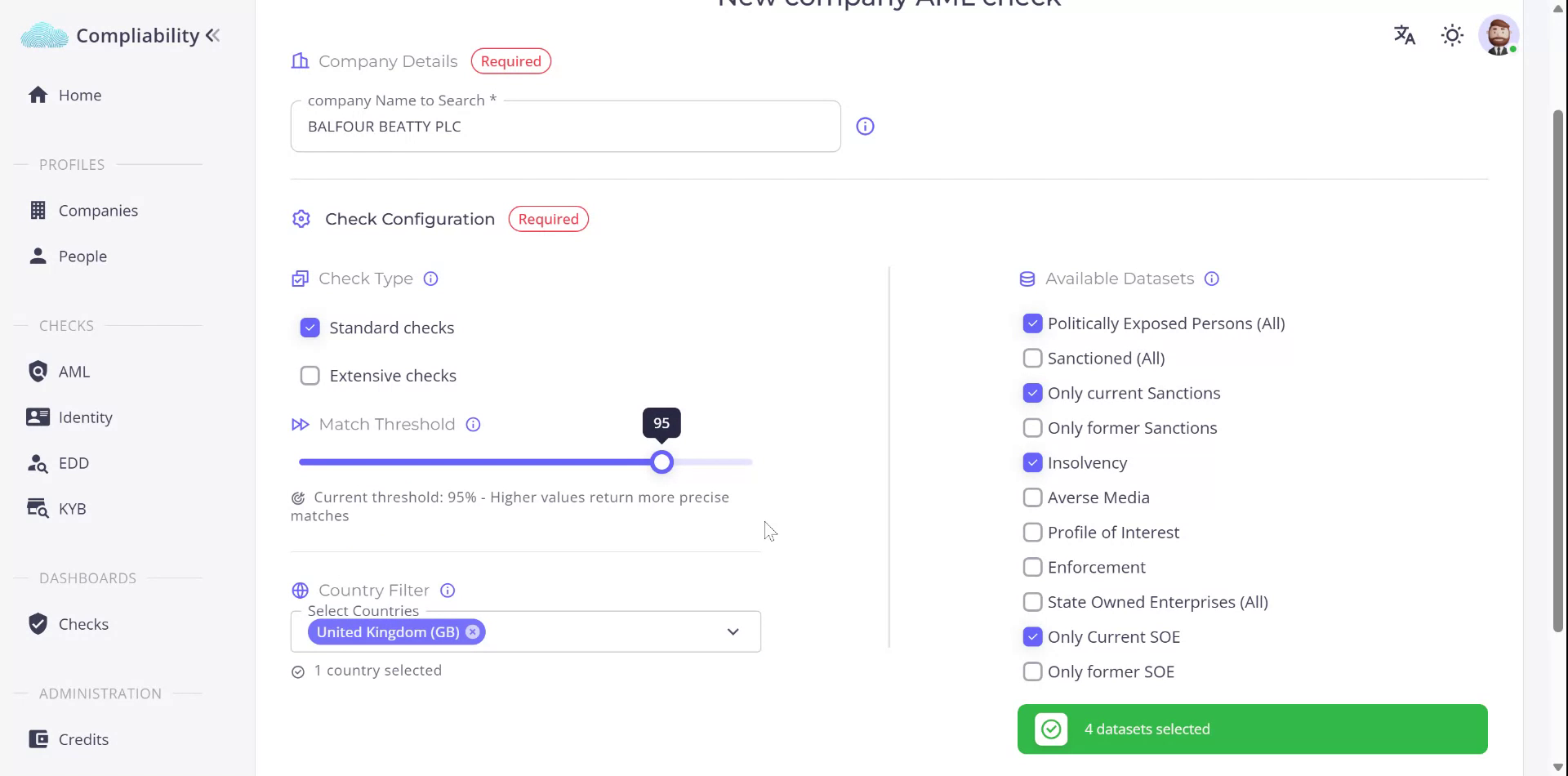
Next, select the relevant country for the company, which, in this case, is a UK company, Balfour BT plc. We will perform a standard check using the default threshold of 95%.
Step 5
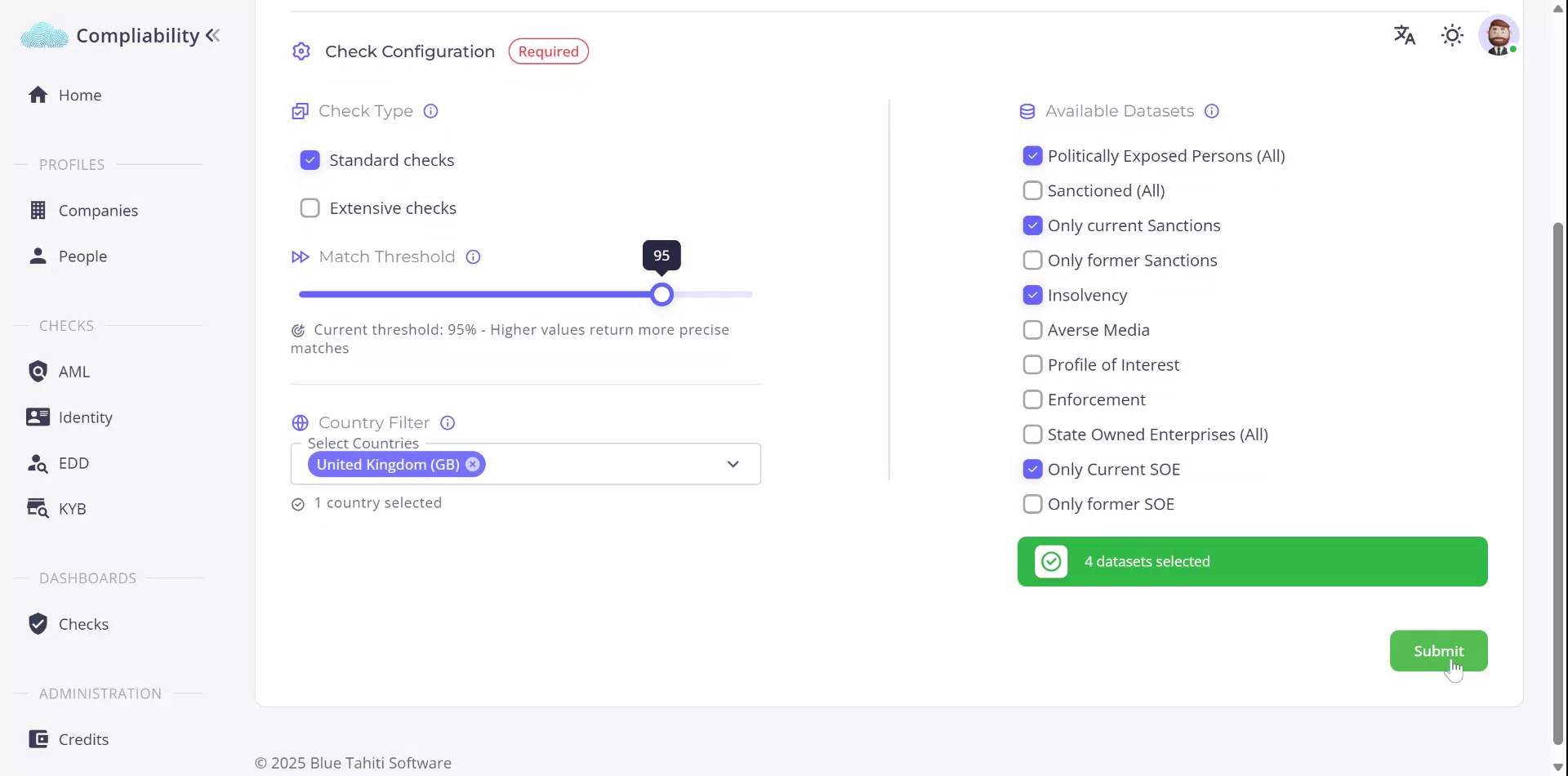
From the available datasets, four have been selected: Politically Exposed Persons, Sanctions/Insolvency, and Current State-Owned Enterprise datasets. Once selected, click “Submit” to continue.
Step 6
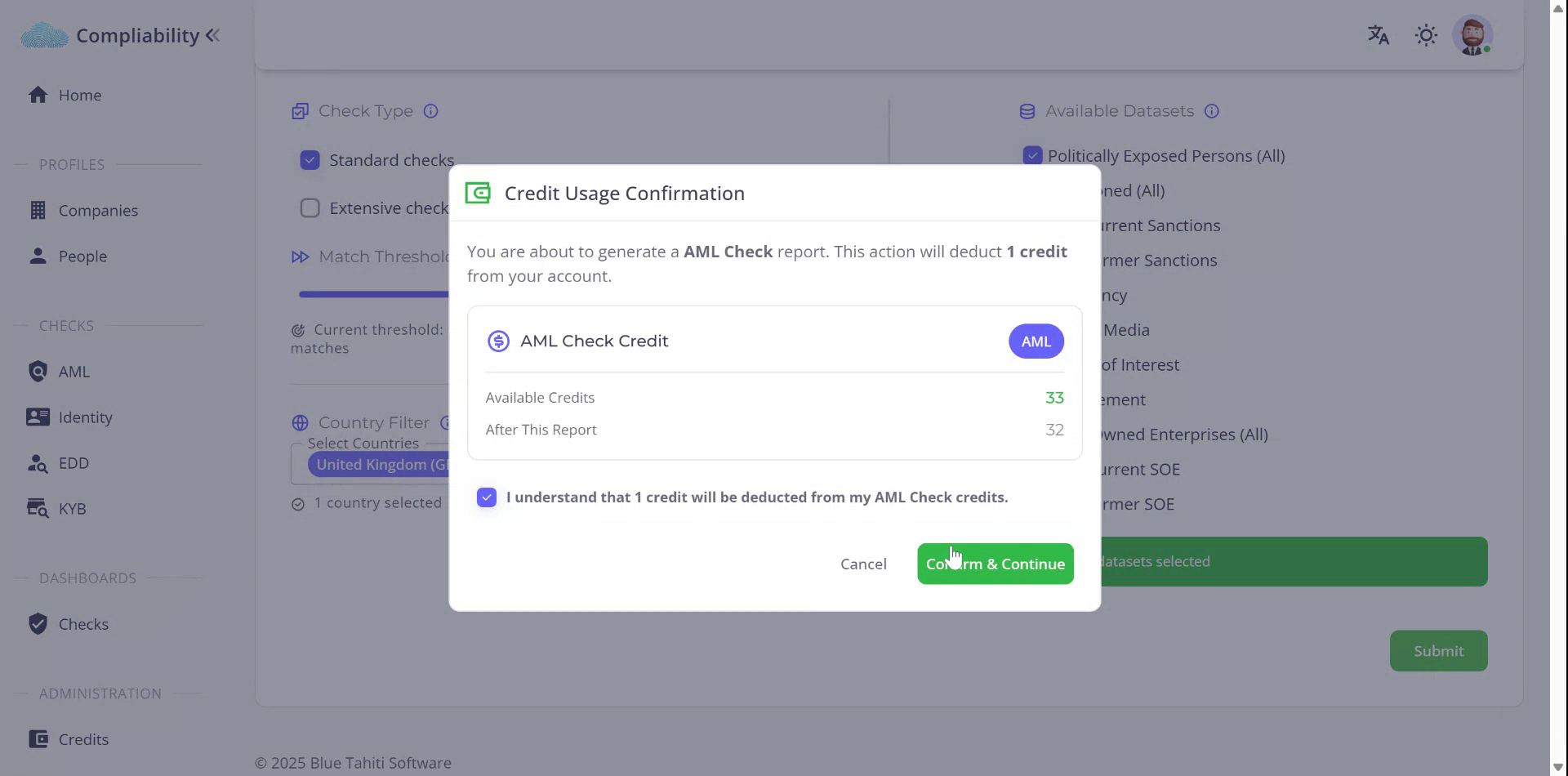
Note that performing this check will consume a credit. To proceed, confirm your acceptance of this condition and continue.