• Home
  • Documentation
    • Getting Started
    • Profiles
    • AML
    • Identity
    • EDD
    • KYB
    • Right to Rent
    • Right to Work
    • Proof of Ownership
    • Source of Funds
  • Home
  • Documentation
    • Getting Started
    • Profiles
    • AML
    • Identity
    • EDD
    • KYB
    • Right to Rent
    • Right to Work
    • Proof of Ownership
    • Source of Funds
Compliability App
  • Banner shape
  • Banner shape
  • Banner shape
  • Banner object
  • Banner object
  • Banner object
  • Banner object
  • Banner object
  • Banner object
  • Banner object

Compliability Knowledge Base

loading
  1. Home
  2. Docs
  3. Compliability Documentation
  4. AML
  5. How to run an AML check on an Individual?
Updated on 20 January 2026
Compliability Documentation
  • Folder icon closed Folder open iconCompliability Documentation
    • Getting Started
      • Introduction to the Platform
      • Online Registration Guide
      • Selecting the Appropriate Subscription Plan
    • Profiles
      • Creating a New Company Profile
      • Creating a New Individual Profile
      • Guide to the Company Profile Page
      • Guide to the Individual Profile Page
    • AML
      • How to run an AML check on a Company?
      • How to run an AML check on an Individual?
      • Review a Company AML check?
      • Review an Individual AML
      • How to set Status & Risk on an AML check?
      • How to reconcile hits on an AML check?
    • Identity
      • How to run an Identity IDv check
      • Review and assess an IDv check
    • EDD
      • How to run an Enhanced Due Diligence EDD check
      • Review and assess an EDD check
    • KYB
      • How to run a Know Your Business KYB check
      • Review and assess a KYB check
    • Right to Rent
      • How to run a Right to Rent check
      • Review and assess a Right to Rent check
    • Right to Work
      • How to run a Right to Work check
      • Review and assess a Right to Work check
    • Proof of Ownership
      • How to run a Proof of Ownership check
      • Review and assess a Proof of Ownership check
    • Source of Funds
      • How to run a Source of Funds check
      • Review and assess a Source of Funds check
    • Credits
      • Manage and use credits within the app
    • FAQs

How to run an AML check on an Individual?

Estimated reading: 2 minutes 22 views
This document outlines the procedure for performing an Anti-Money Laundering (AML) check on an individual. The process involves searching for the individual, initiating the AML check, selecting the type of check, and finally specifying the country associated with the individual.

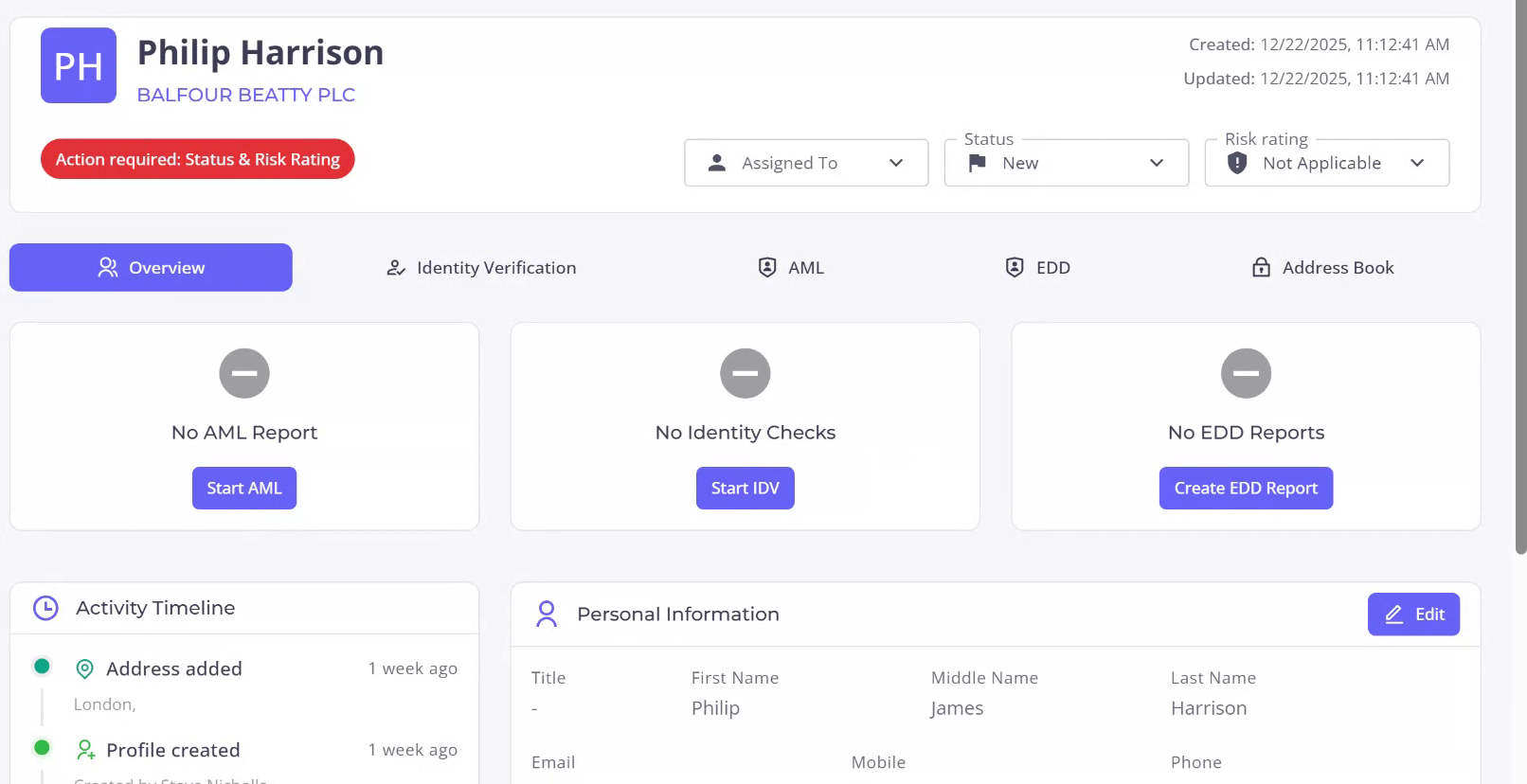
Step 1

Begin by searching for the individual in question. For this example, we are looking at Philip Harrison, who has not yet completed any AML checks. Upon accessing the individual’s profile, it is evident that neither identity checks nor enhanced due diligence checks have been performed.
Step 2

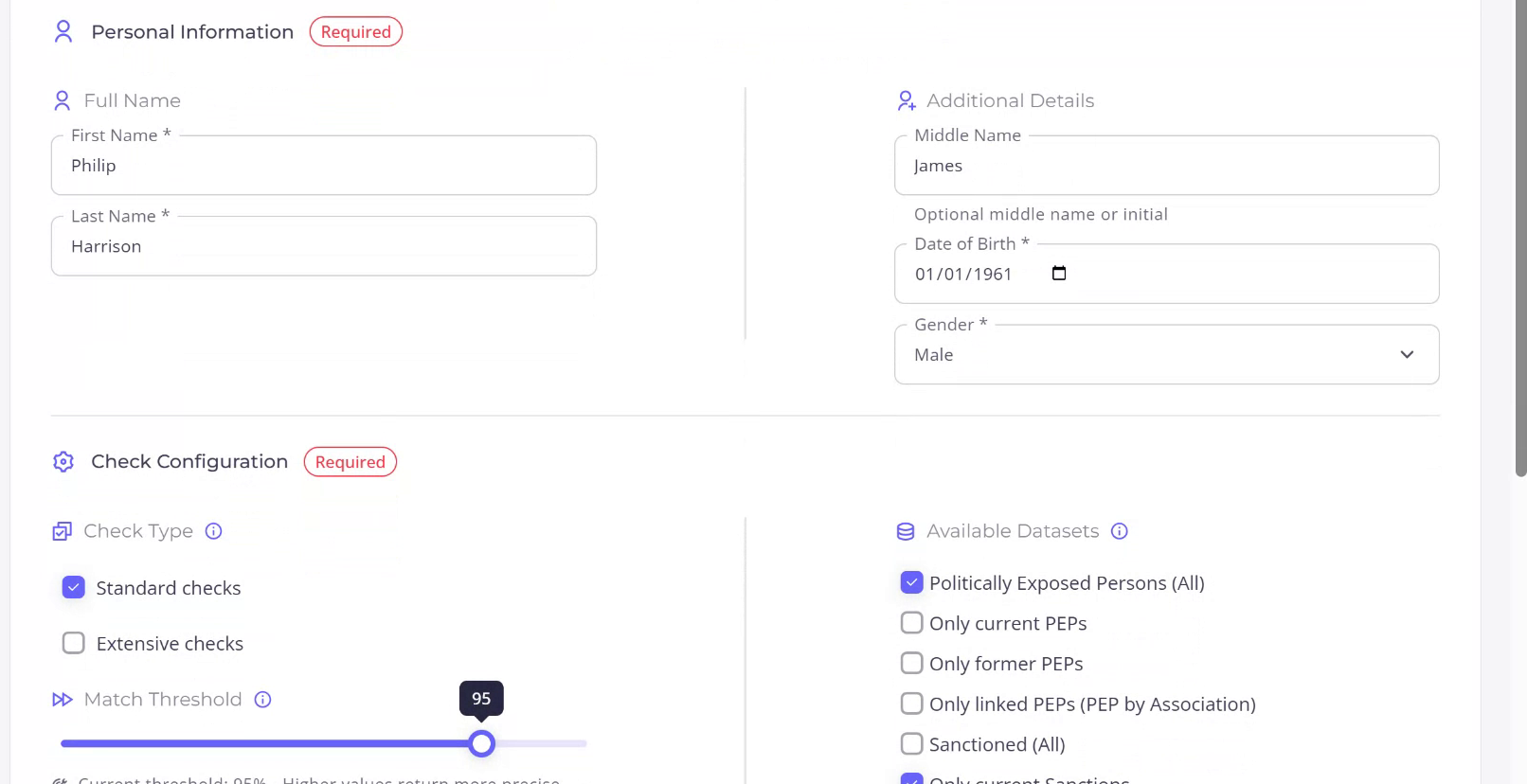
To initiate the AML check, click on “Start AML.” The form for the individual AML check will already be filled with available information. However, you may edit this information and complete any compulsory fields that are not currently filled.
Step 3

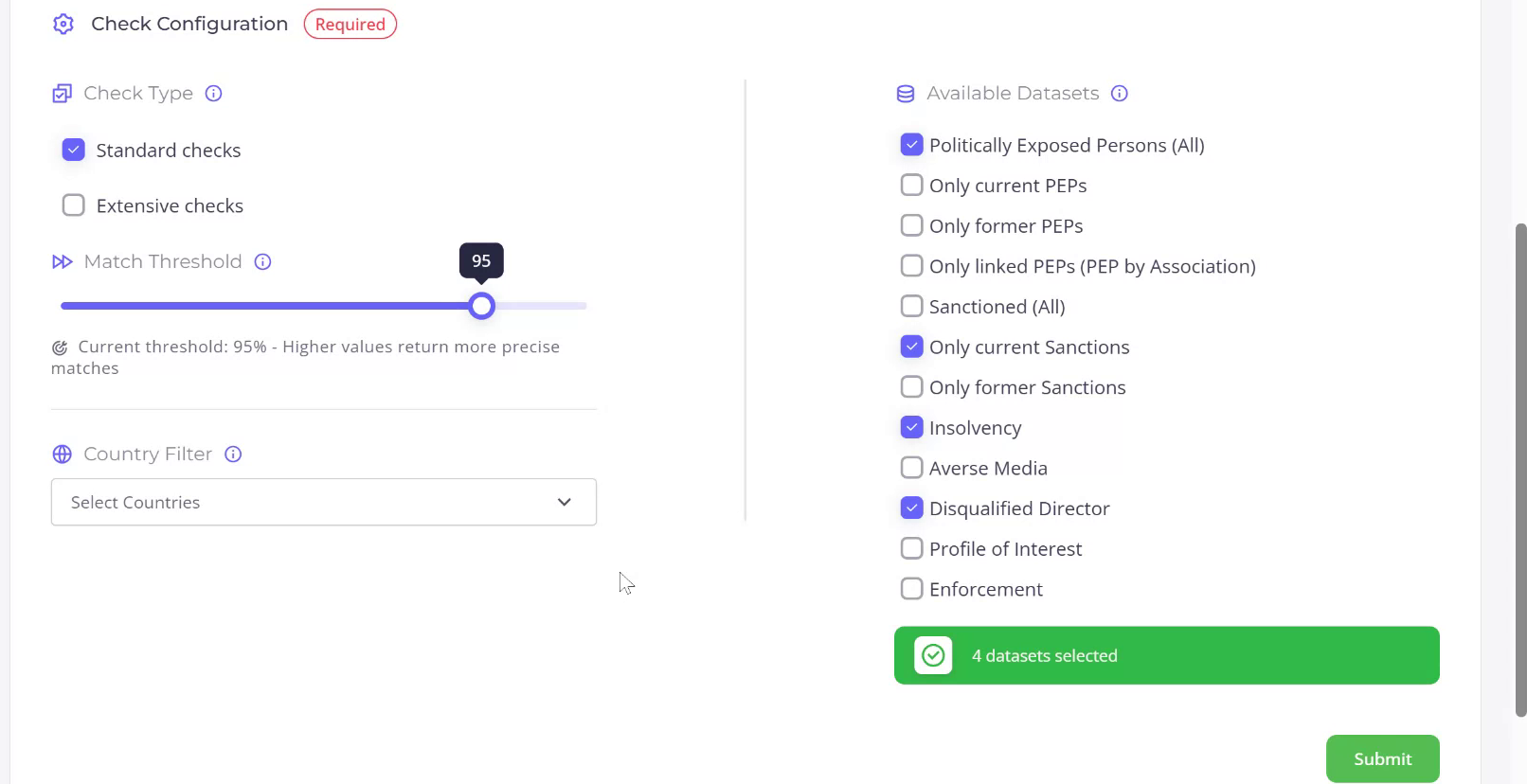
You will have the option to choose between two types of checks. The standard check utilizes a particular set of datasets, while the extensive check incorporates additional datasets into the AML process. Additionally, you can manually modify the datasets used for either type of check.
Step 4

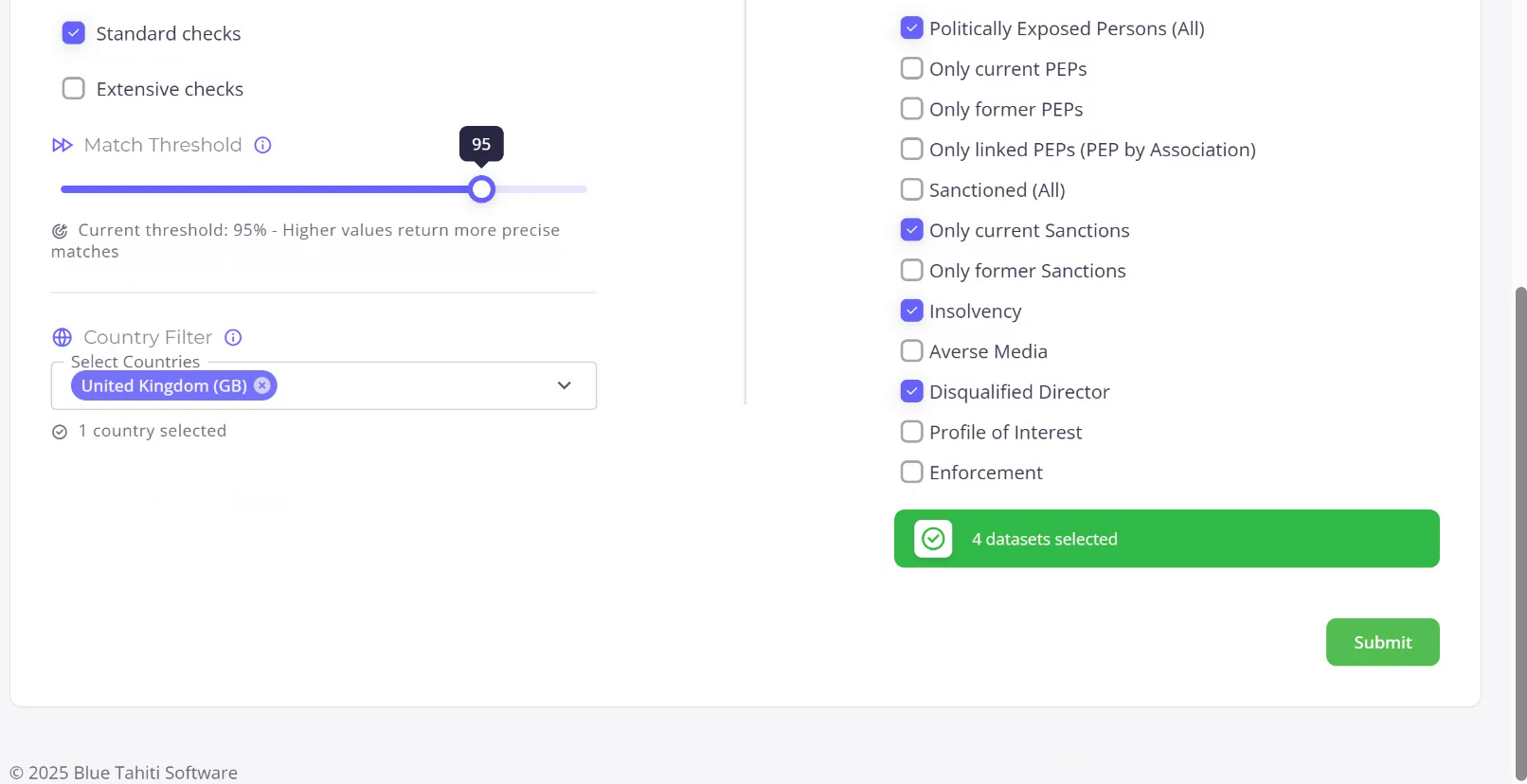
Specify the country associated with the individual, in this case, the United Kingdom. Once this is done, you are ready to submit your check.

Recently Viewed articles

  • Manage and use credits within the app
  • See More

Powered By EazyDocs