• Home
  • Documentation
    • Getting Started
    • Profiles
    • AML
    • Identity
    • EDD
    • KYB
    • Right to Rent
    • Right to Work
    • Proof of Ownership
    • Source of Funds
  • Home
  • Documentation
    • Getting Started
    • Profiles
    • AML
    • Identity
    • EDD
    • KYB
    • Right to Rent
    • Right to Work
    • Proof of Ownership
    • Source of Funds
Compliability App
  • Banner shape
  • Banner shape
  • Banner shape
  • Banner object
  • Banner object
  • Banner object
  • Banner object
  • Banner object
  • Banner object
  • Banner object

Compliability Knowledge Base

loading
  1. Home
  2. Docs
  3. Compliability Documentation
  4. Identity
  5. Review and assess an IDv check
Updated on 18 January 2026
Compliability Documentation
  • Folder icon closed Folder open iconCompliability Documentation
    • Getting Started
      • Introduction to the Platform
      • Online Registration Guide
      • Selecting the Appropriate Subscription Plan
    • Profiles
      • Creating a New Company Profile
      • Creating a New Individual Profile
      • Guide to the Company Profile Page
      • Guide to the Individual Profile Page
    • AML
      • How to run an AML check on a Company?
      • How to run an AML check on an Individual?
      • Review a Company AML check?
      • Review an Individual AML
      • How to set Status & Risk on an AML check?
      • How to reconcile hits on an AML check?
    • Identity
      • How to run an Identity IDv check
      • Review and assess an IDv check
    • EDD
      • How to run an Enhanced Due Diligence EDD check
      • Review and assess an EDD check
    • KYB
      • How to run a Know Your Business KYB check
      • Review and assess a KYB check
    • Right to Rent
      • How to run a Right to Rent check
      • Review and assess a Right to Rent check
    • Right to Work
      • How to run a Right to Work check
      • Review and assess a Right to Work check
    • Proof of Ownership
      • How to run a Proof of Ownership check
      • Review and assess a Proof of Ownership check
    • Source of Funds
      • How to run a Source of Funds check
      • Review and assess a Source of Funds check
    • Credits
      • Manage and use credits within the app
    • FAQs

Review and assess an IDv check

Estimated reading: 2 minutes 21 views
This document outlines the procedure for reviewing an individual’s identity verification check. You will learn how to navigate through the identity verification interface to assess the status and details of an individual’s verification process.

Step 1

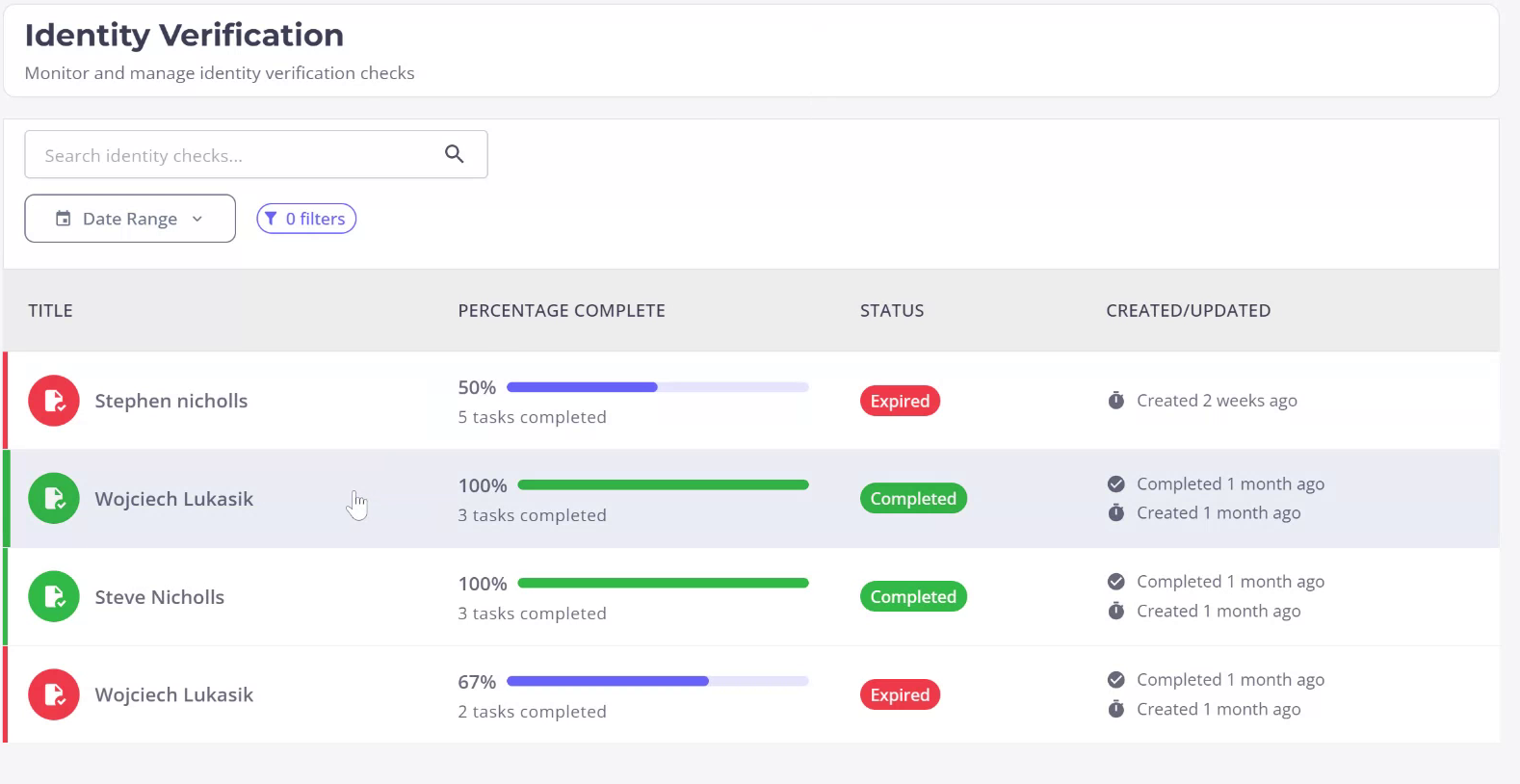
To initiate the review of an individual’s identity verification check, access the individual’s profile through the Identity Checks tab located in the left-hand menu. Select the desired individual.
Step 2

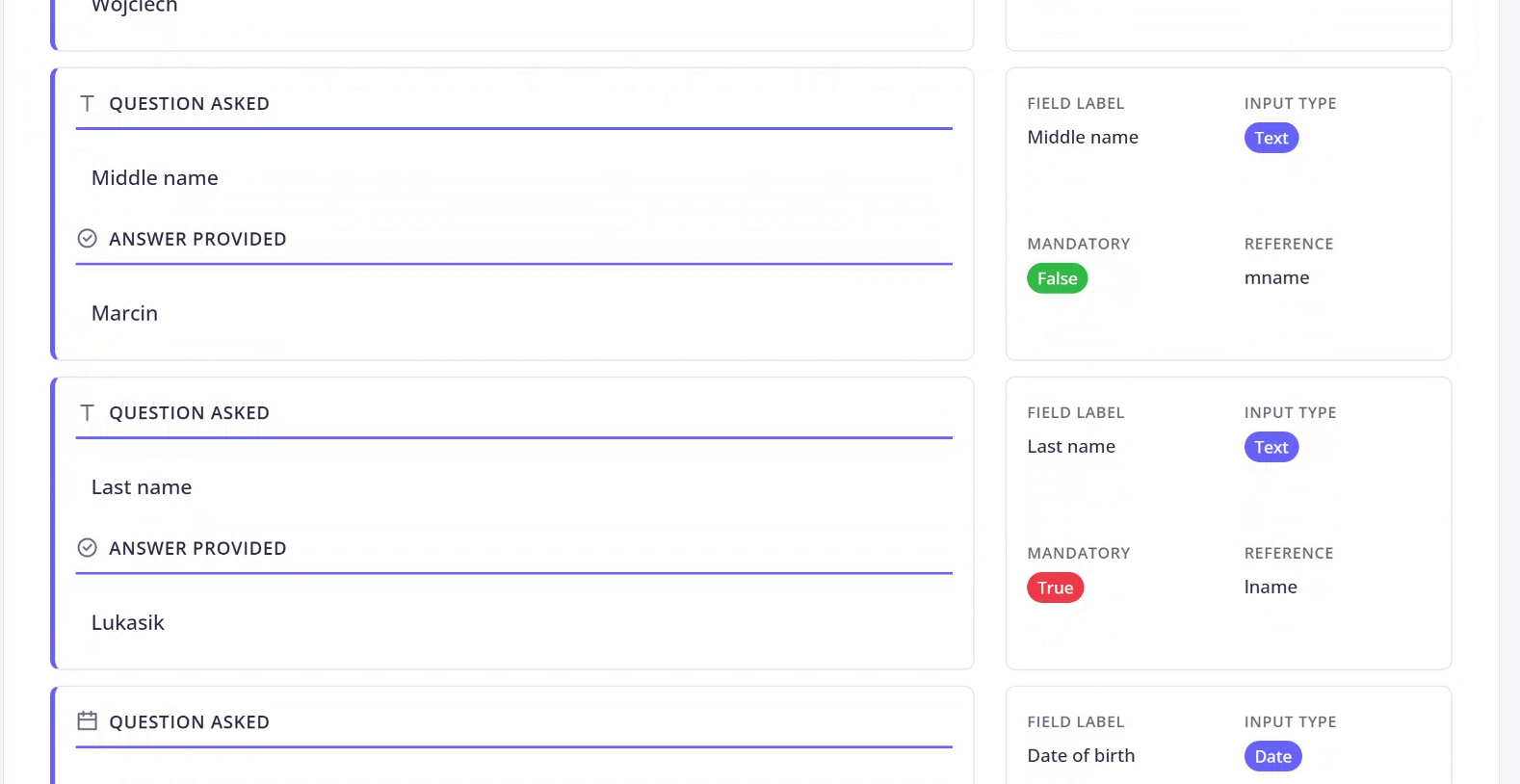
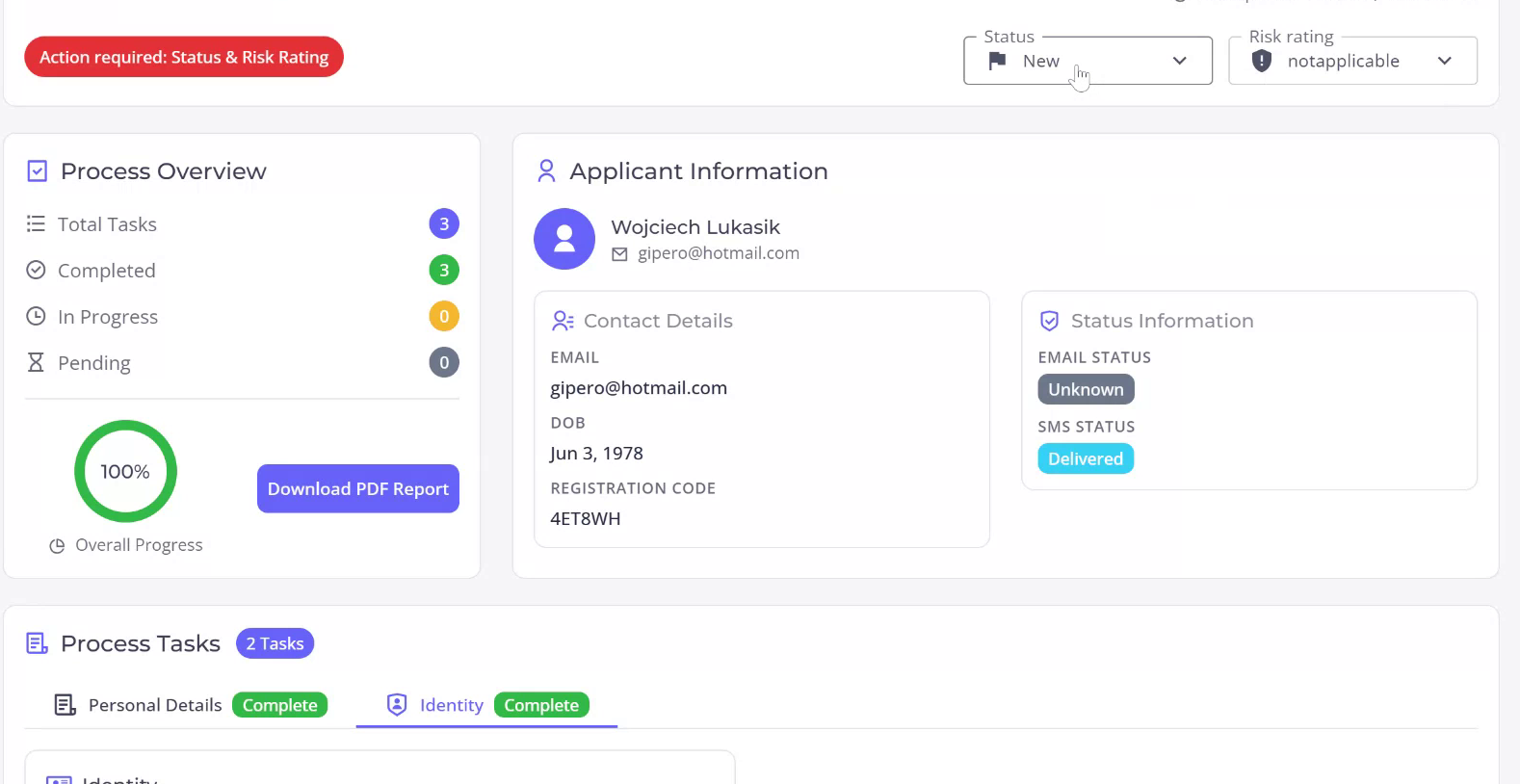
Observe that the ID check is 100% completed. Enter the check to view detailed information about the subject, including completed tasks and those that are pending. Scroll down to review personal details such as first name, middle name, last name, and date of birth, along with the questions and responses provided by the subject during the process.
Step 3

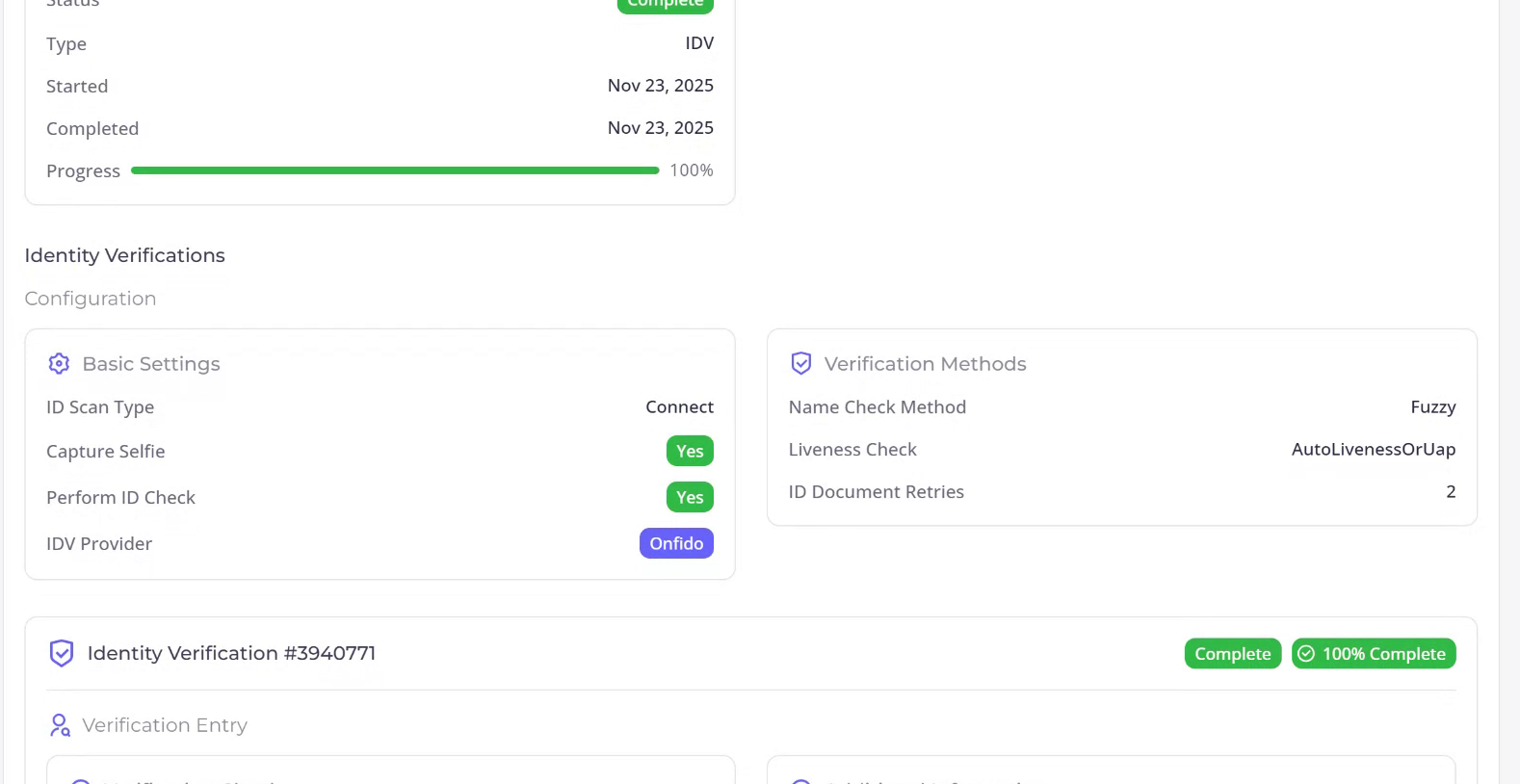
Scroll back up and proceed to enter the identity check interface. Here, you can examine the status of the overall check as well as the configuration settings of the identity verification process.
Step 4

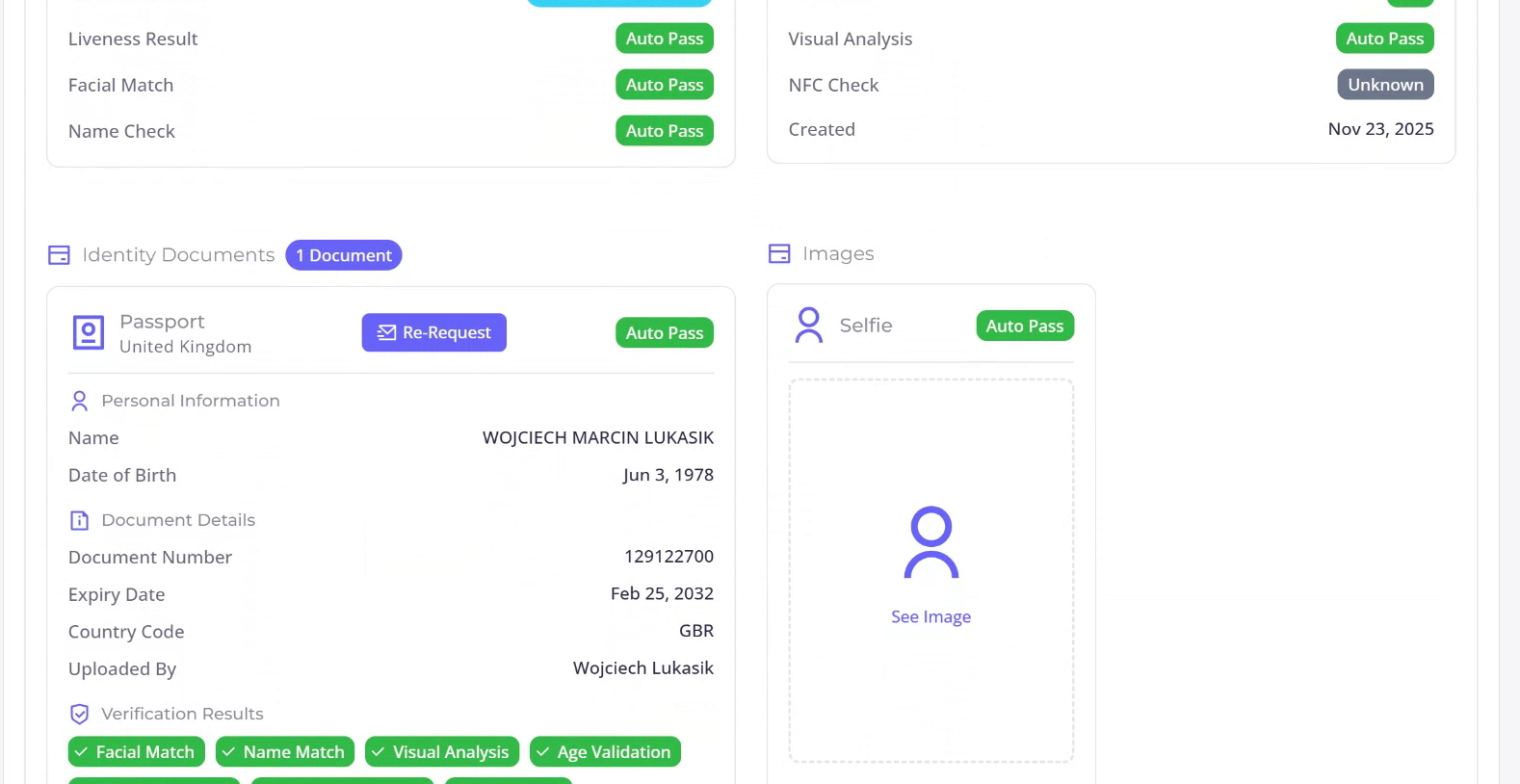
As you continue scrolling, review the status of each individual check. Ensure that live-ness, facial match, and name check have all been passed, resulting in an overall pass. Further down, you will find details about the imagery and documentation used for verification.
Step 5

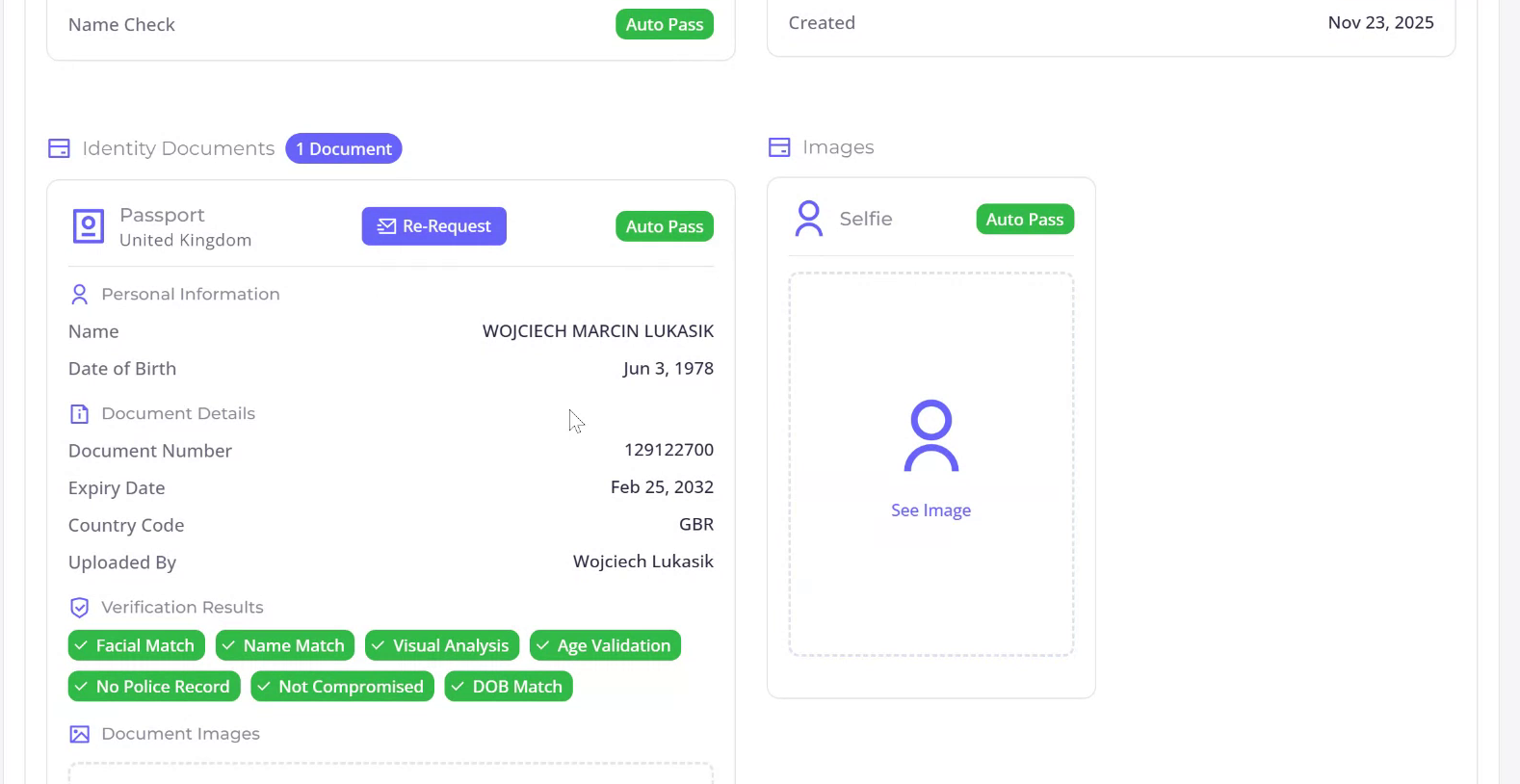
Confirm that the passport was submitted and the passport check was valid. Verify that all necessary passport details are present and correct.
Step 6

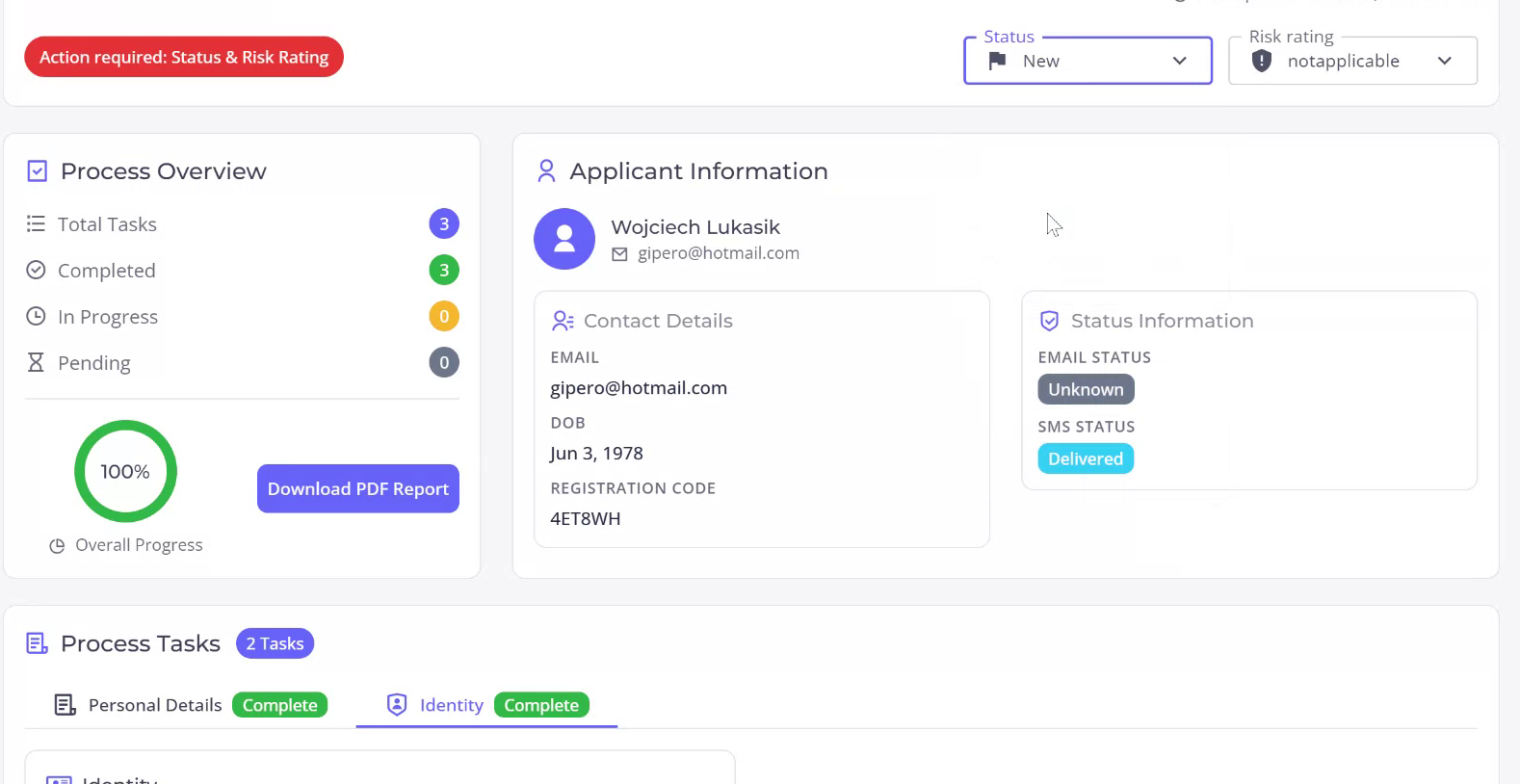
Click on the associated selfie image to obtain a visual representation of the submitted photo. Continue to review the document image that was used for matching with the selfie. This completes the identity check review. After reviewing, you may proceed to specify…
Step 7

a status and potentially assign a risk level to the individual.
Powered By EazyDocs