






Creating a New Company Profile
This document outlines the process of creating a new company profile in a system. The steps will guide you through searching for a company, verifying details, and adding necessary information to enhance the profile. The process includes adding directors or shareholders if required, to finalize the creation of the company profile.
Step 1
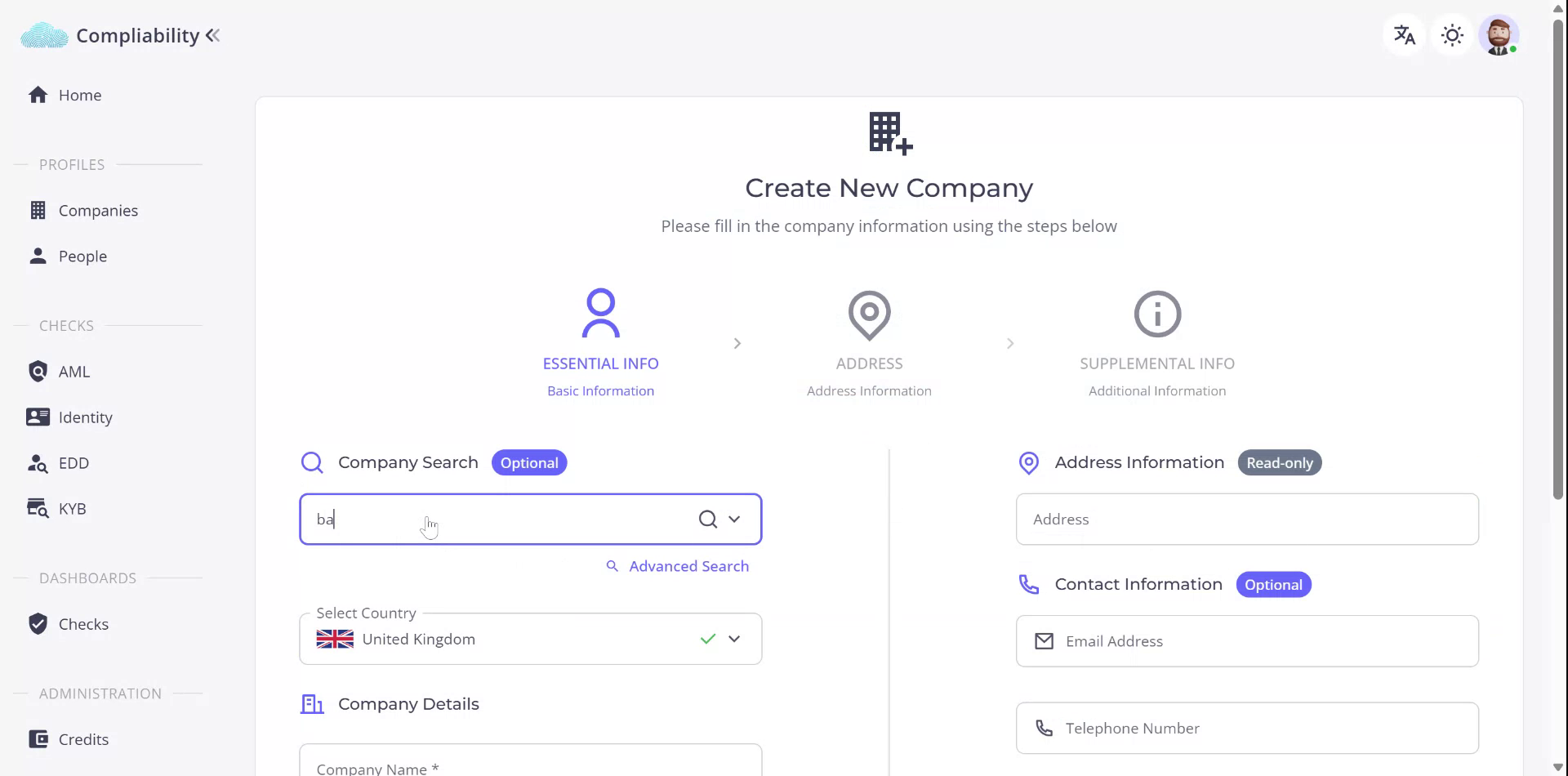
Begin by creating a new company profile by selecting the Company Journey. You can search for the company of interest or enter the known information directly.
Step 2
Search for Belford Beatty. Once found, select the required company. Alternatively, you may continue to search using the name Belford Beatty.

Step 3
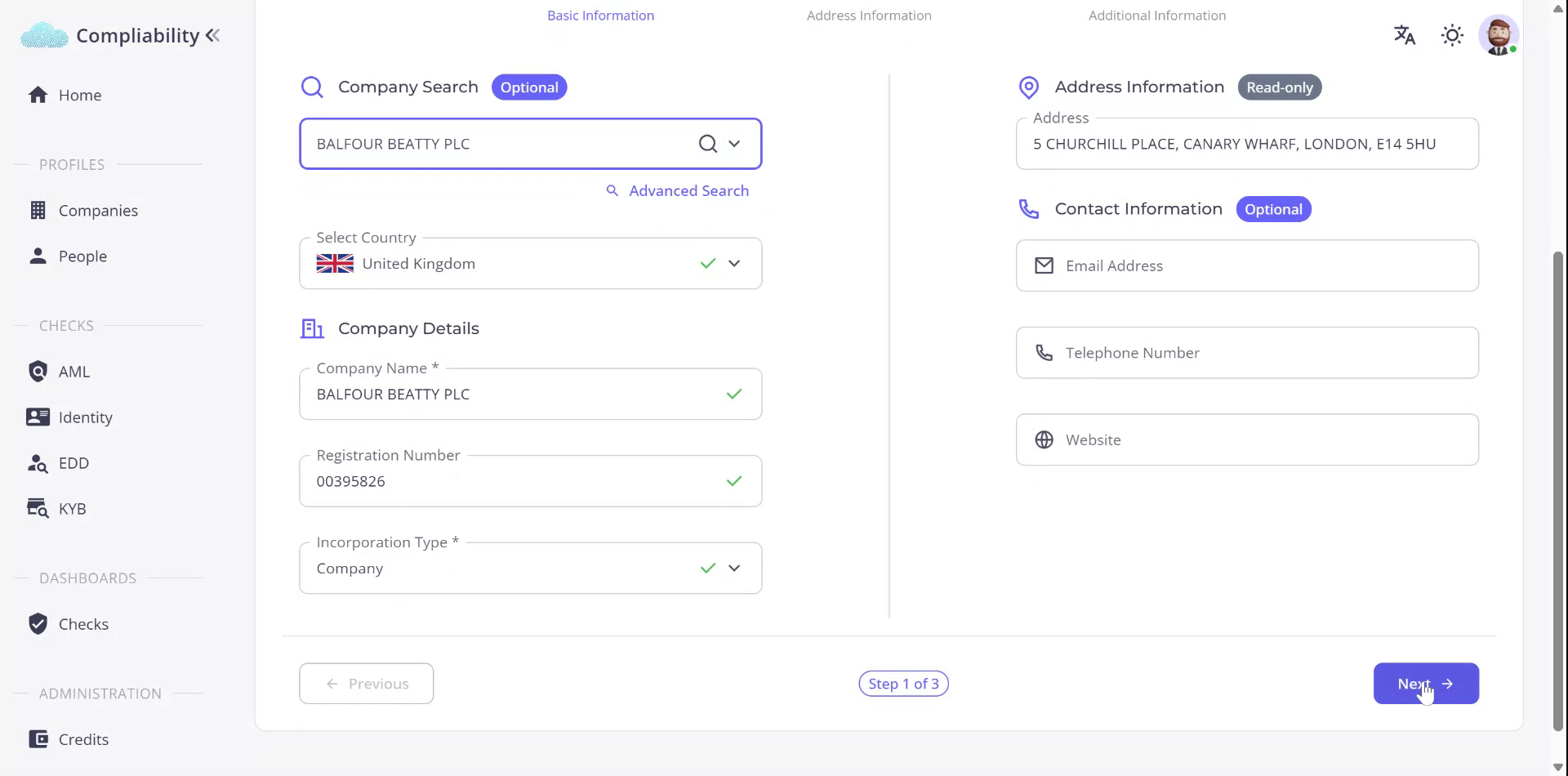
Select PLC, then choose the company. Utilize the advanced search if you have details such as a registration number to locate the company efficiently. Some information will auto-populate, allowing you to proceed to the next stage.
Step 4
Verify and confirm the address information. Ensure all necessary details are correct. Specify the address period if available.

Step 5
Review the information. If all details are satisfactory, proceed by clicking ‘Next.’

Step 6
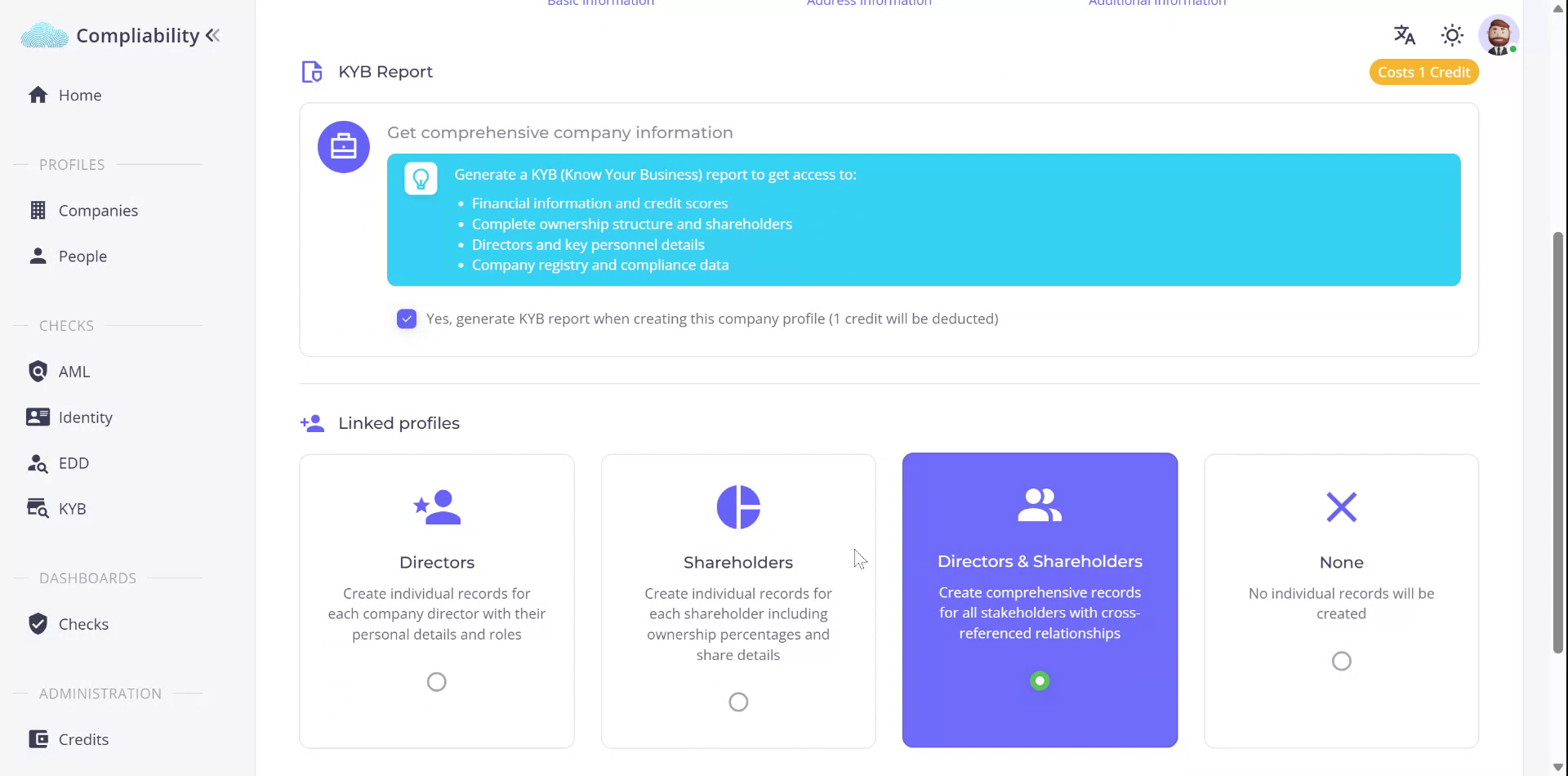
At this stage, prepare to finalize the company creation. Use the KYB report feature to obtain additional information about the company, enhancing the profile. Options include adding company directors, shareholders, or both, or opting to create a basic company profile.
Step 7
In this example, add the directors to the company profile. Complete the process by creating the company.
