


• Home
  • Documentation
    • Getting Started
    • Profiles
    • AML
    • Identity
    • EDD
    • KYB
    • Right to Rent
    • Right to Work
    • Proof of Ownership
    • Source of Funds
  • Home
  • Documentation
    • Getting Started
    • Profiles
    • AML
    • Identity
    • EDD
    • KYB
    • Right to Rent
    • Right to Work
    • Proof of Ownership
    • Source of Funds
Compliability App
  • Banner shape
  • Banner shape
  • Banner shape
  • Banner object
  • Banner object
  • Banner object
  • Banner object
  • Banner object
  • Banner object
  • Banner object

Compliability Knowledge Base

loading
  1. Home
  2. Docs
  3. Compliability Documentation
  4. Profiles
  5. Guide to the Individual Profile Page
Updated on 20 January 2026
Compliability Documentation
  • Folder icon closed Folder open iconCompliability Documentation
    • Getting Started
      • Introduction to the Platform
      • Online Registration Guide
      • Selecting the Appropriate Subscription Plan
    • Profiles
      • Creating a New Company Profile
      • Creating a New Individual Profile
      • Guide to the Company Profile Page
      • Guide to the Individual Profile Page
    • AML
      • How to run an AML check on a Company?
      • How to run an AML check on an Individual?
      • Review a Company AML check?
      • Review an Individual AML
      • How to set Status & Risk on an AML check?
      • How to reconcile hits on an AML check?
    • Identity
      • How to run an Identity IDv check
      • Review and assess an IDv check
    • EDD
      • How to run an Enhanced Due Diligence EDD check
      • Review and assess an EDD check
    • KYB
      • How to run a Know Your Business KYB check
      • Review and assess a KYB check
    • Right to Rent
      • How to run a Right to Rent check
      • Review and assess a Right to Rent check
    • Right to Work
      • How to run a Right to Work check
      • Review and assess a Right to Work check
    • Proof of Ownership
      • How to run a Proof of Ownership check
      • Review and assess a Proof of Ownership check
    • Source of Funds
      • How to run a Source of Funds check
      • Review and assess a Source of Funds check
    • Credits
      • Manage and use credits within the app
    • FAQs

Guide to the Individual Profile Page

Estimated reading: 2 minutes 20 views
This document outlines the steps required to review an individual’s profile effectively. It details how to search for a specific profile, review completed checks, and access detailed information on identity verification, AML, and Enhanced Due Diligence. Furthermore, it guides on setting the profile status and risk rating.

Step 1

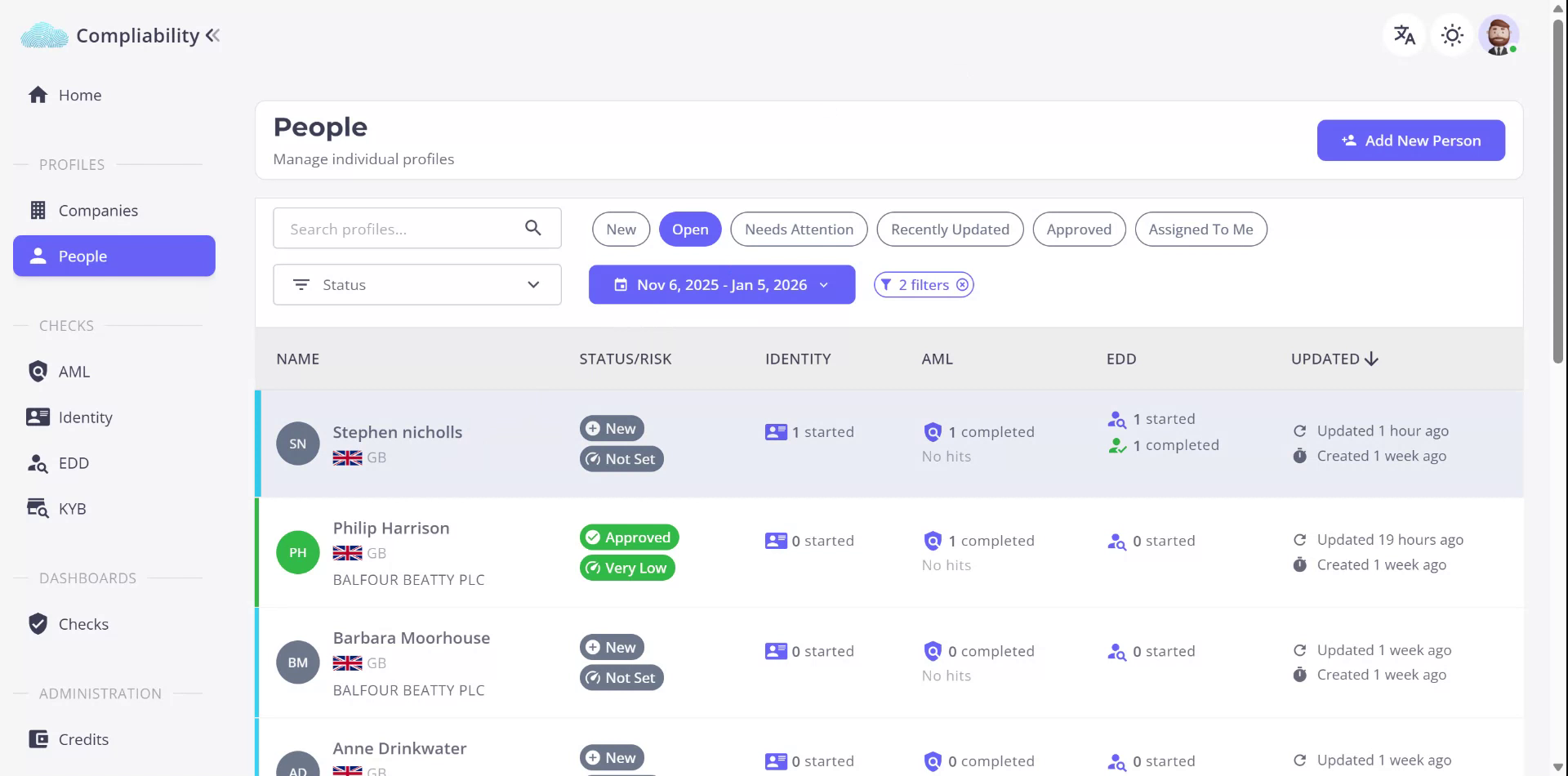
Begin by locating the individual’s profile within the profile list. Use the search function to find the specific profile you wish to review.
Step 2

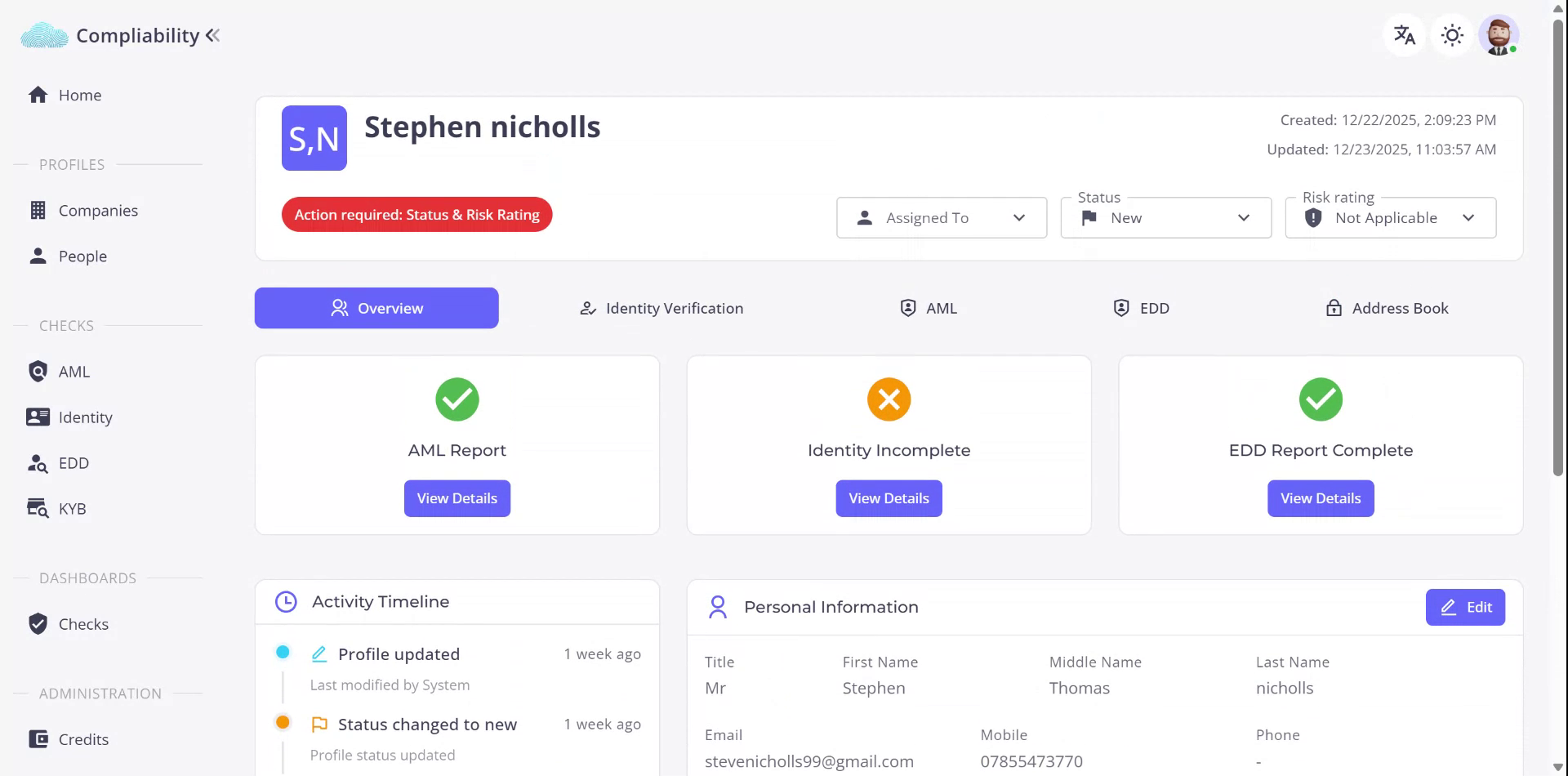
Select the desired profile to access the overview page. This page provides detailed information on completed checks, personal details, and a timeline of activities related to the profile.
Step 3

On the overview page, observe the status of various reports: an AML report that is successfully completed, an incomplete identity report, and a completed enhanced due diligence report. Click on “View Details” or use the tabs to delve deeper into each check.
Step 4

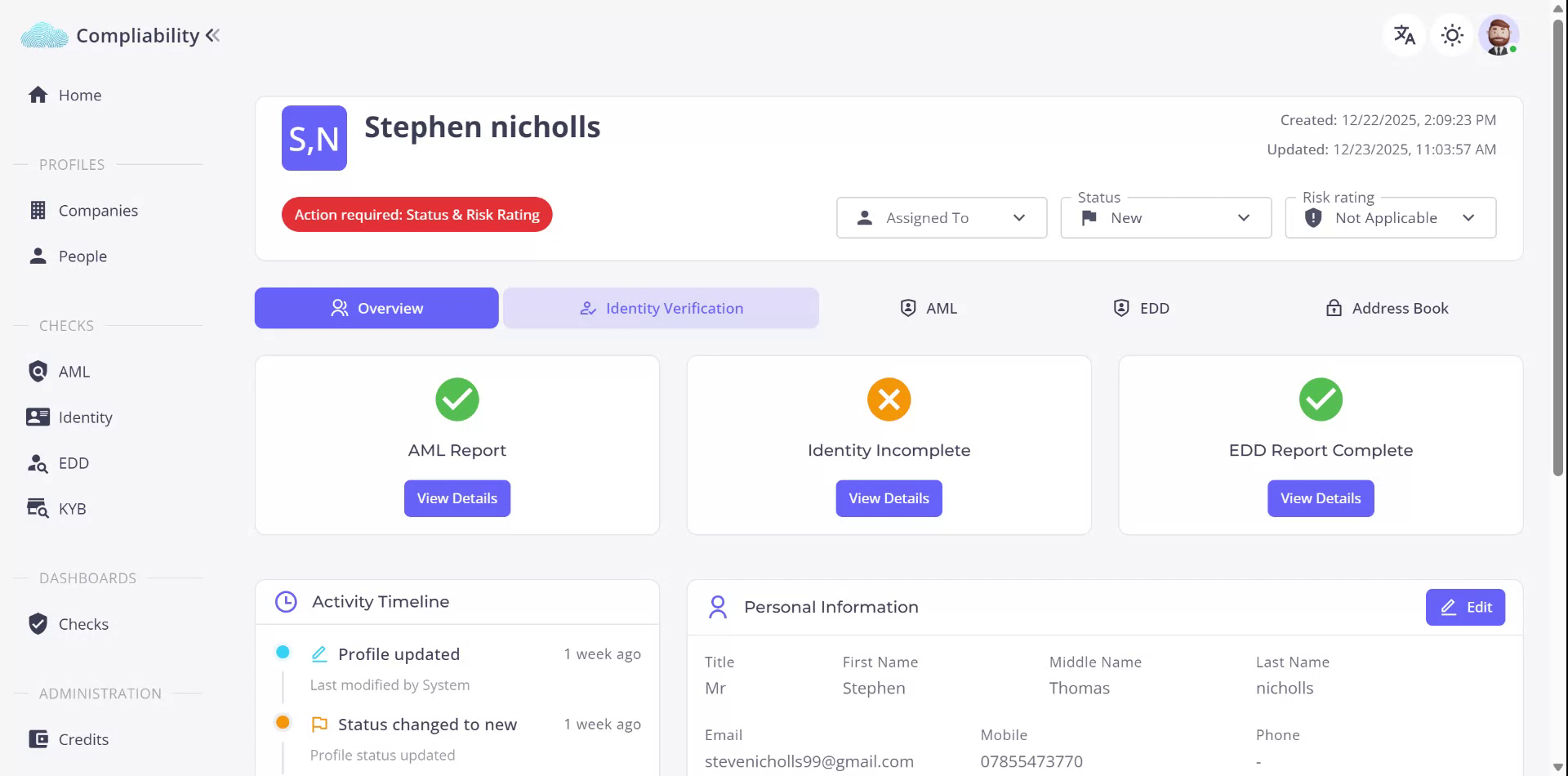
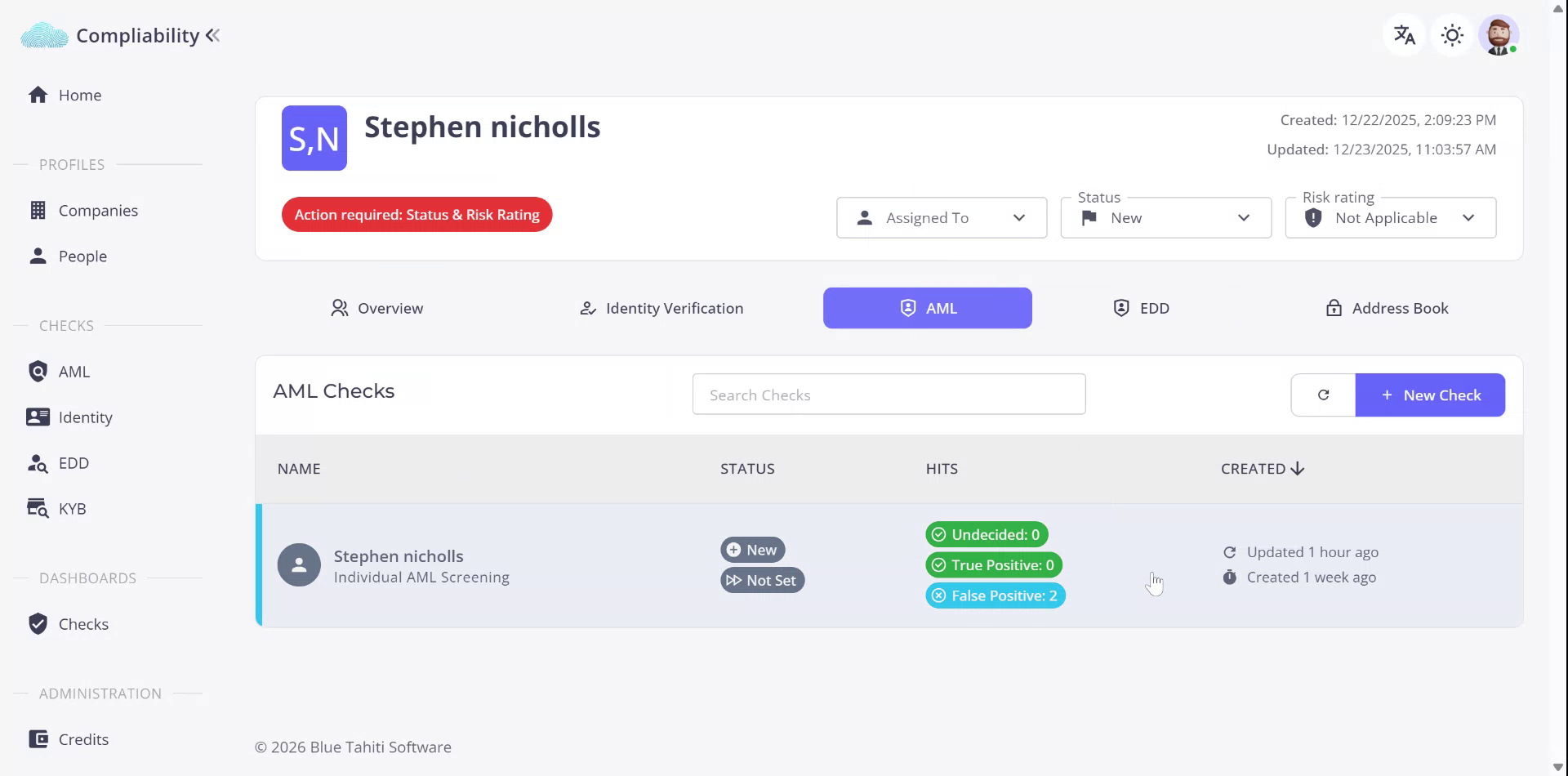
In the Identity Verification section, review the completed stages. If the identity verification has expired, initiate a new check. In the AML section, examine the completed checks.
Step 5

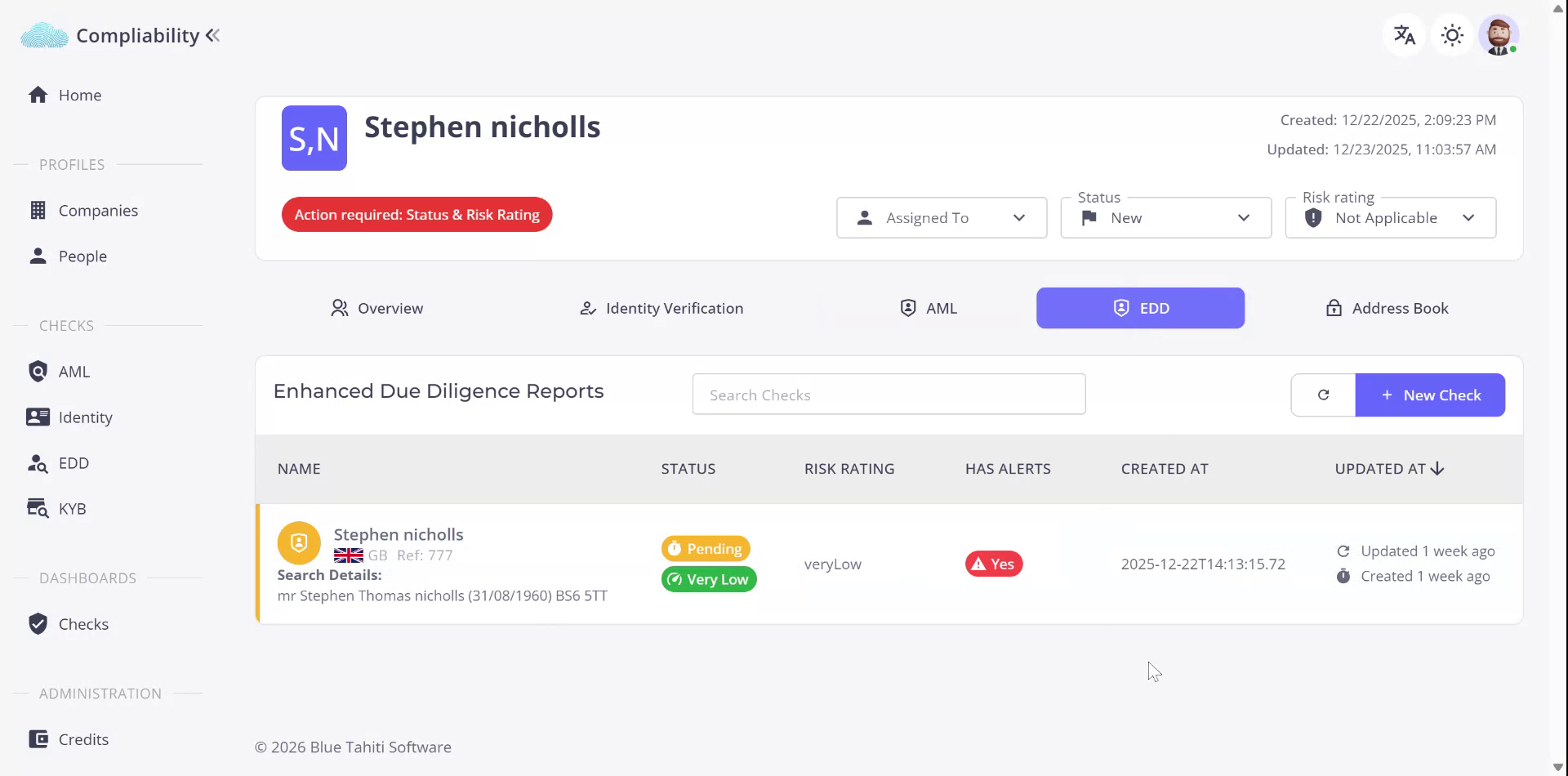
Review the completed AML checks for any identified hits. In the Enhanced Due Diligence section, identify any alerts related to the individual.
Step 6

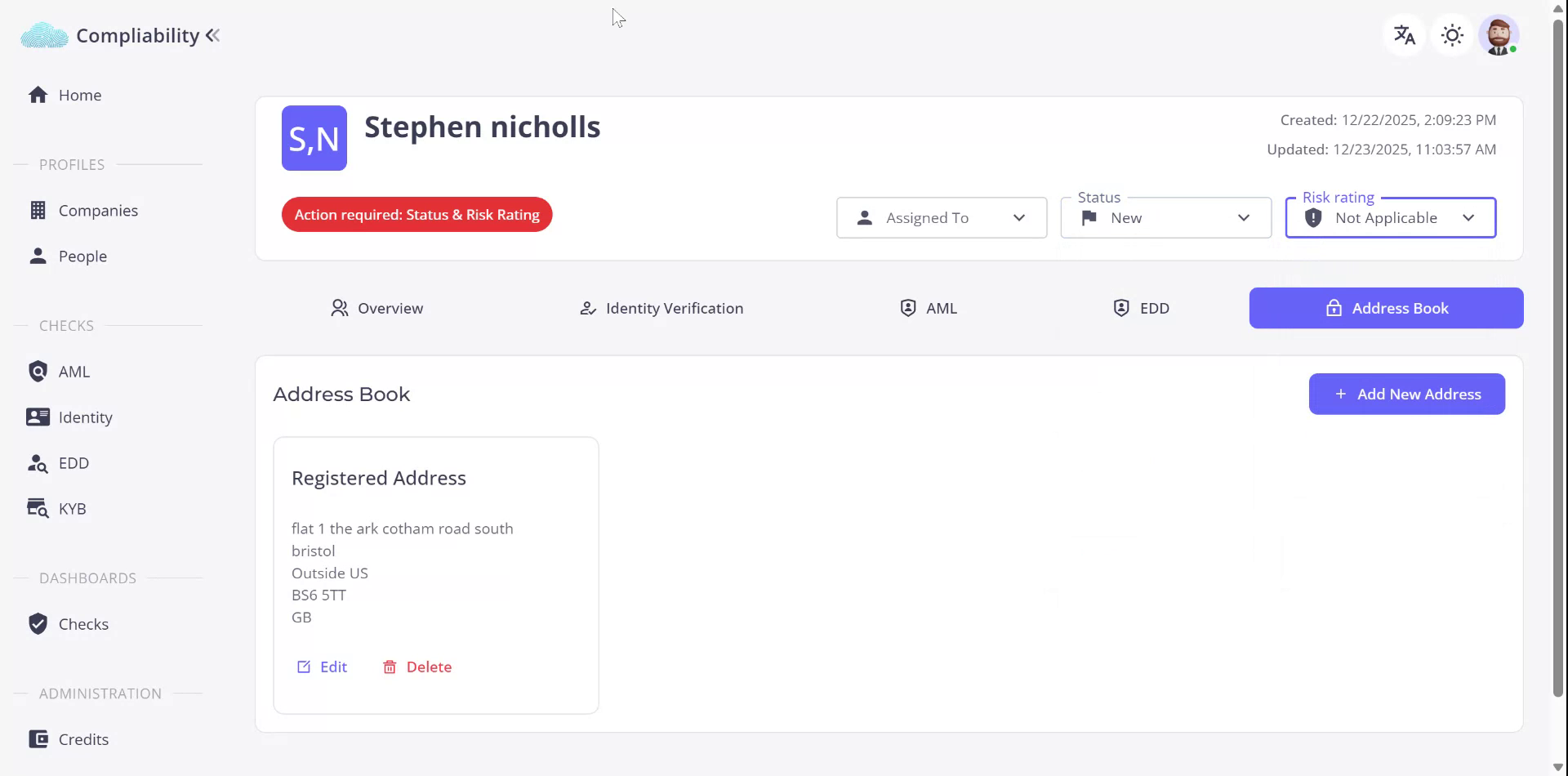
To obtain more information, click on the relevant items. Access the address book for the individual’s address details. After a thorough review, update the profile status to Approved, Declined, or Other, and assign an appropriate risk rating.
Recently Viewed articles

  • Review and assess a Right to Work check
  • See More

Powered By EazyDocs