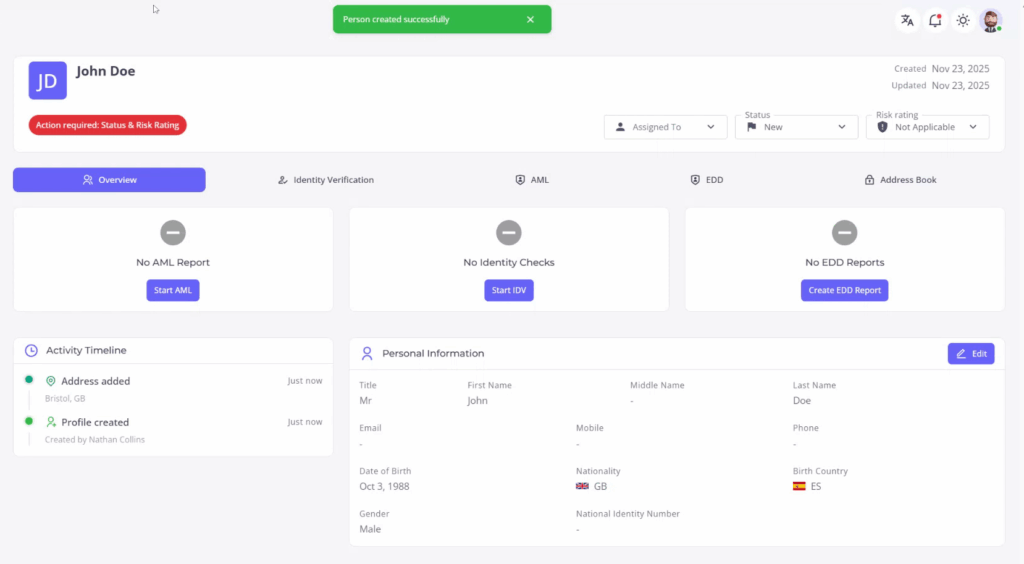






Creating a New Individual Profile
This process will guide you through creating a personal profile with the option to autofill details or manually enter them. Follow these steps to input essential information accurately, including birth details and residence information.
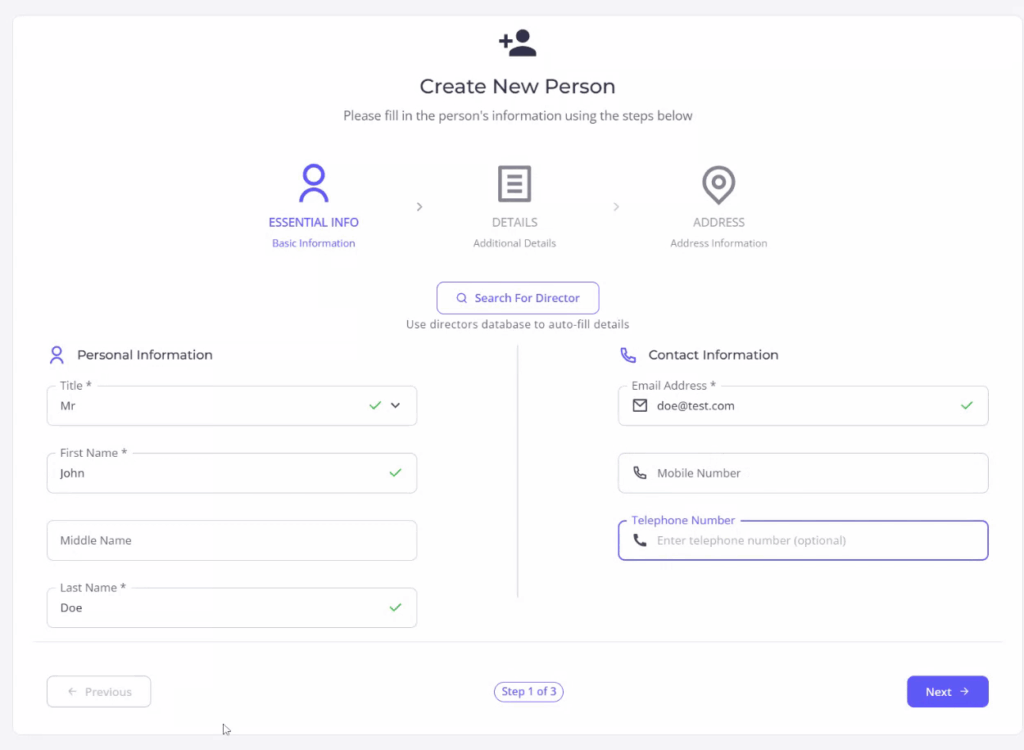
Step 1
Begin by creating an individual’s profile. You have the option to use the director’s database to autofill details or input them manually.
Step 2
Enter the individual’s date of birth, nationality, and place of birth. This section includes optional fields for additional information.
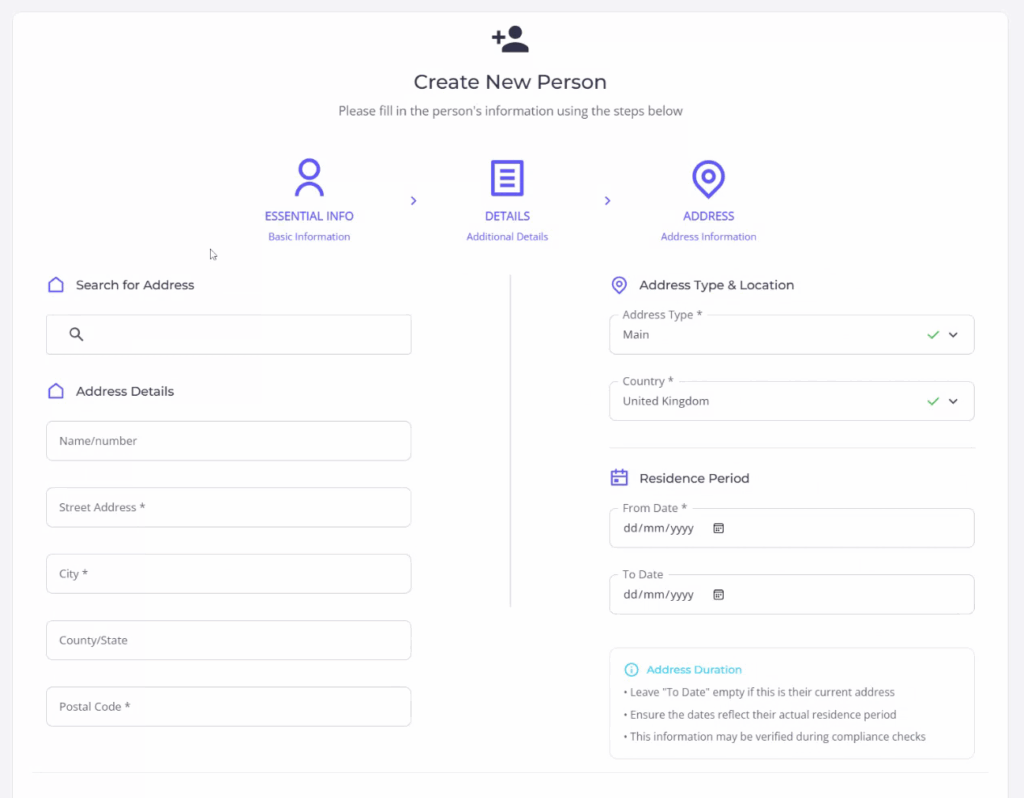
Step 3
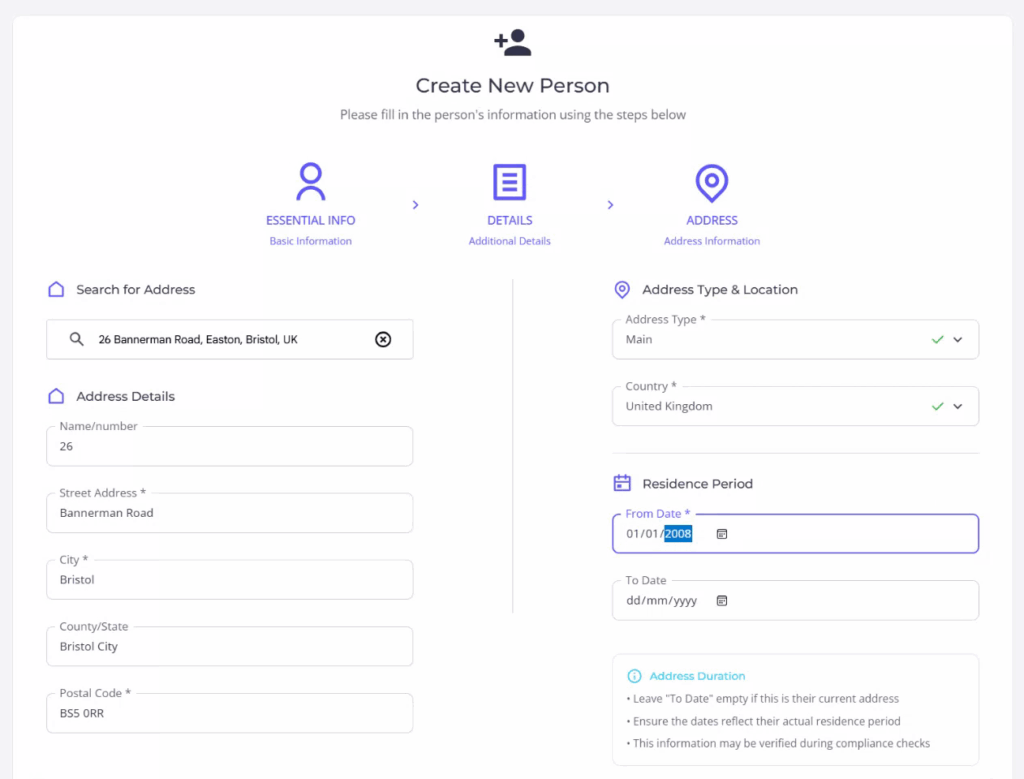
Utilize the search function to find and enter the individual’s address. Ensure to also enter the start date of residence.
Step 4
Complete the process by reviewing the entered information.