How to run a Right to Rent check
Estimated reading: 2 minutes
12 views
This document provides a step-by-step procedure for conducting a Right to Rent check on an individual’s profile. It includes identity verification as well as a PEPs and sanctions check.
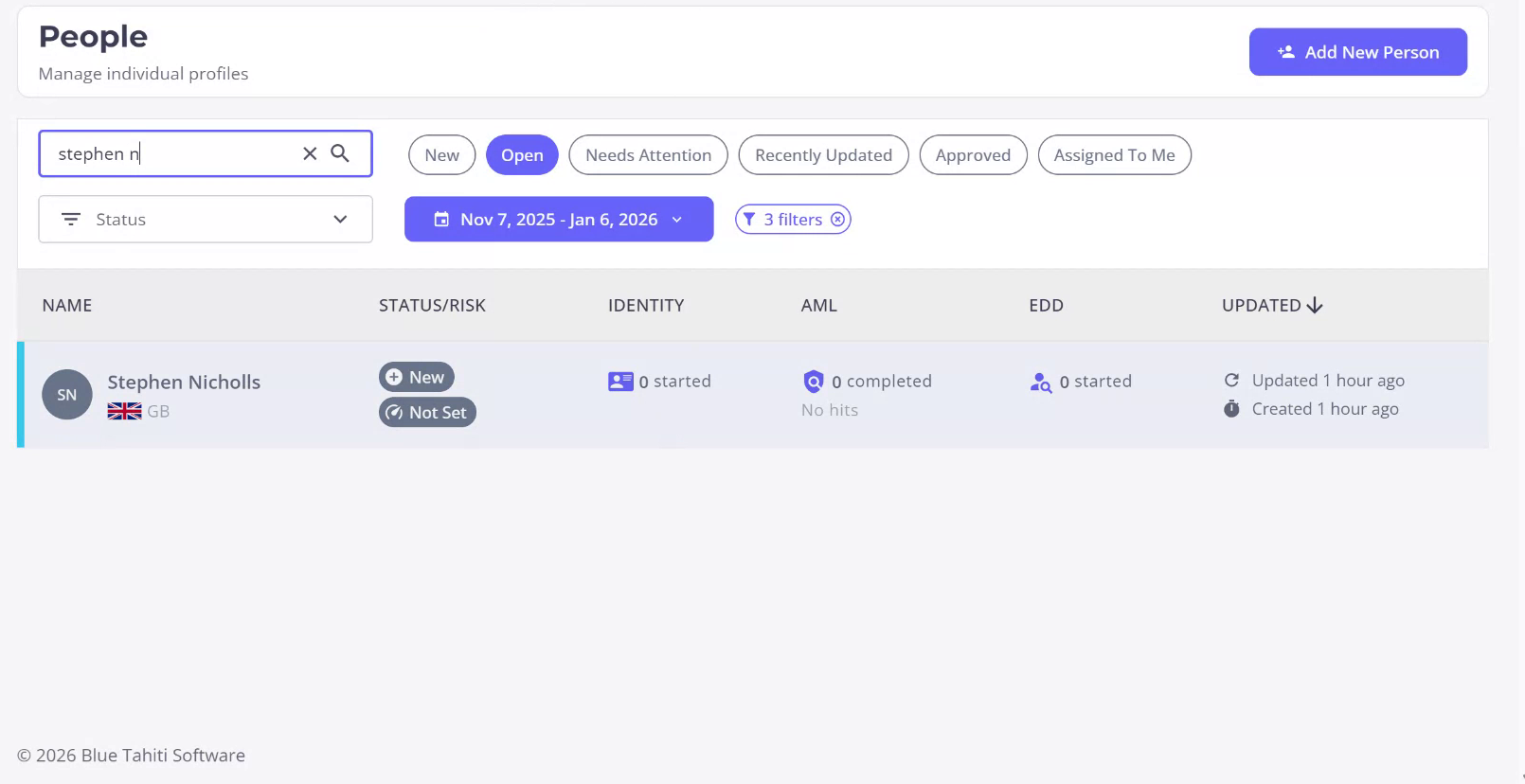
Step 1
To begin the Right to Rent check on an individual, search for the individual’s profile to ensure no identity checks have been performed. The Right to Rent check is a type of identity verification that can be conducted on an individual.
Step 2
Access the individual’s profile. Here, you will have the option to initiate an IDV check. Click on this option to be presented with various identity verification journeys available.
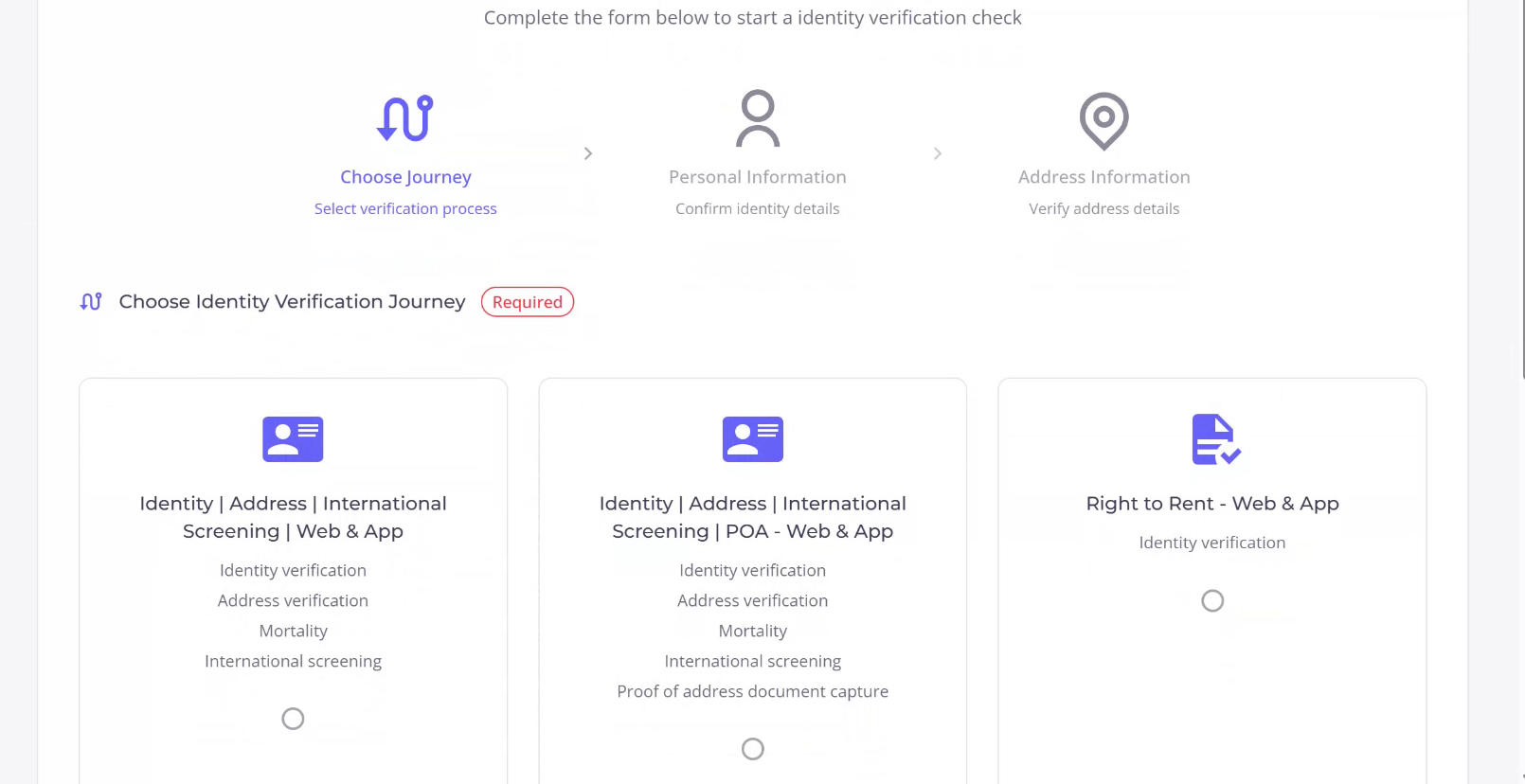
Step 3
In this instance, select the Right to Rent check option that includes identity verification, as well as a PEPs and sanctions check. Click “Next” to proceed to the personal information page, which is automatically filled with the individual’s known information.
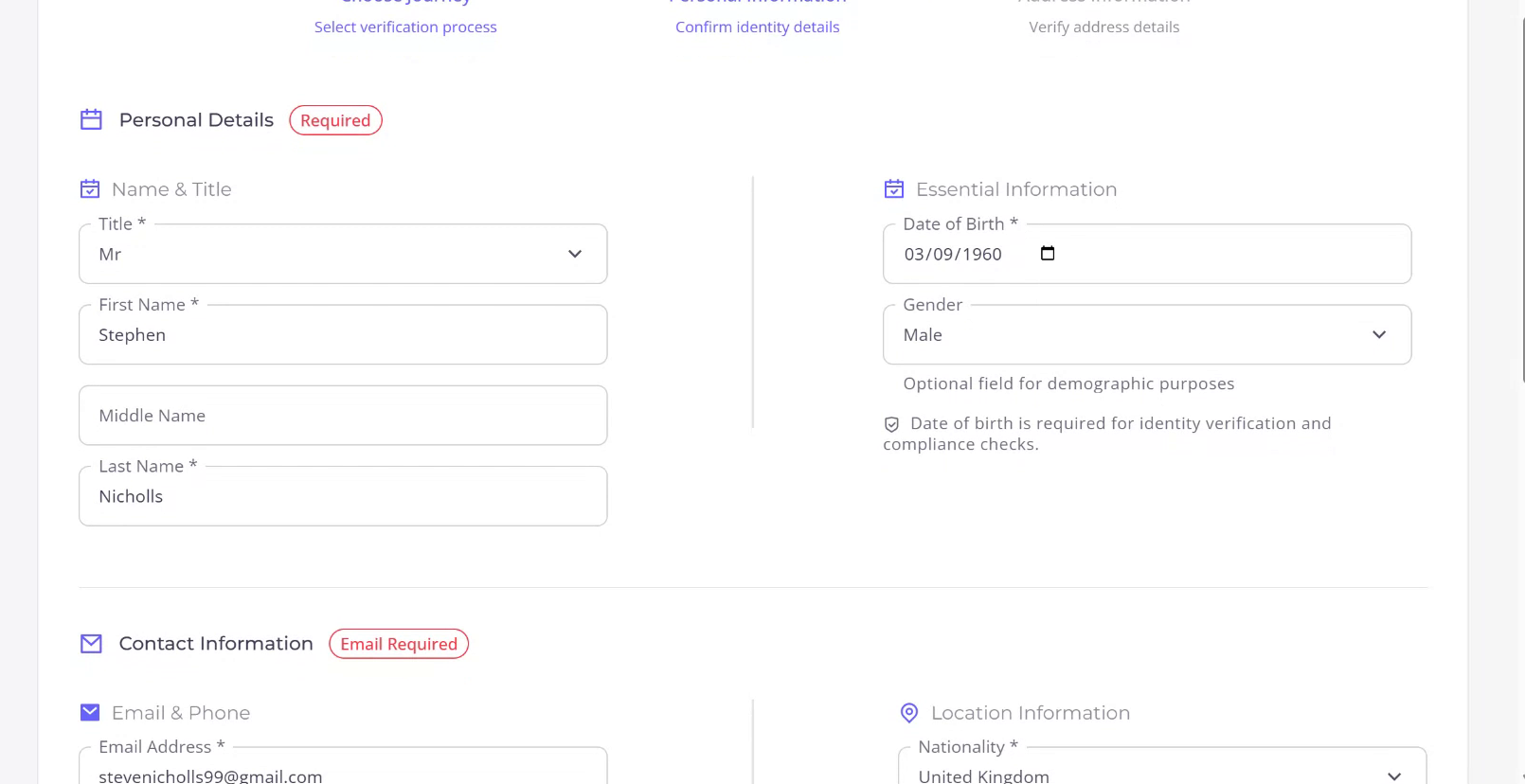
Step 4
You may modify any of the fields if you have additional or differing information. There are also optional fields that can be filled if extra information is available. Click “Next” to proceed to the Address Details page, which is similarly pre-filled from the profile but can be edited or augmented if necessary.
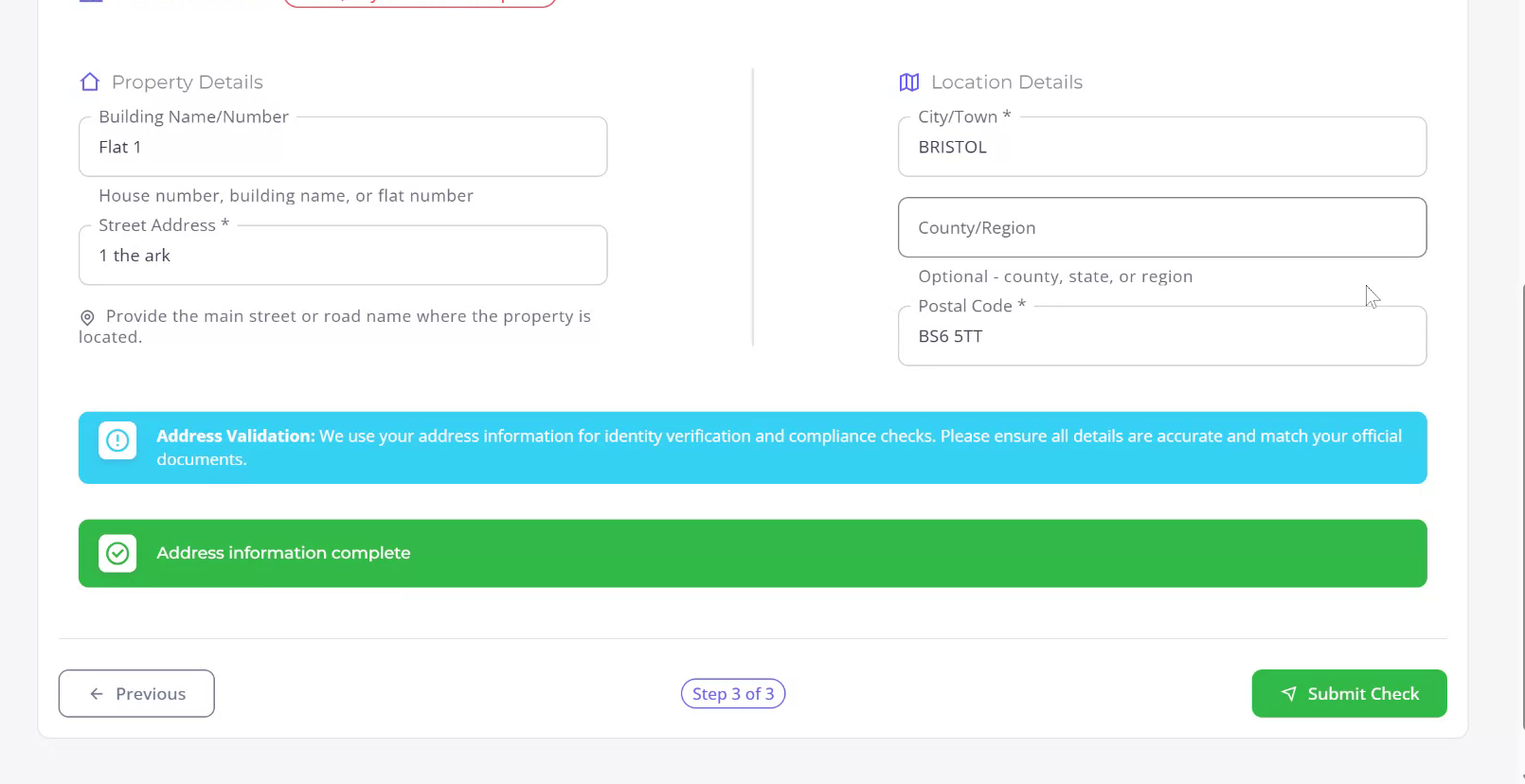
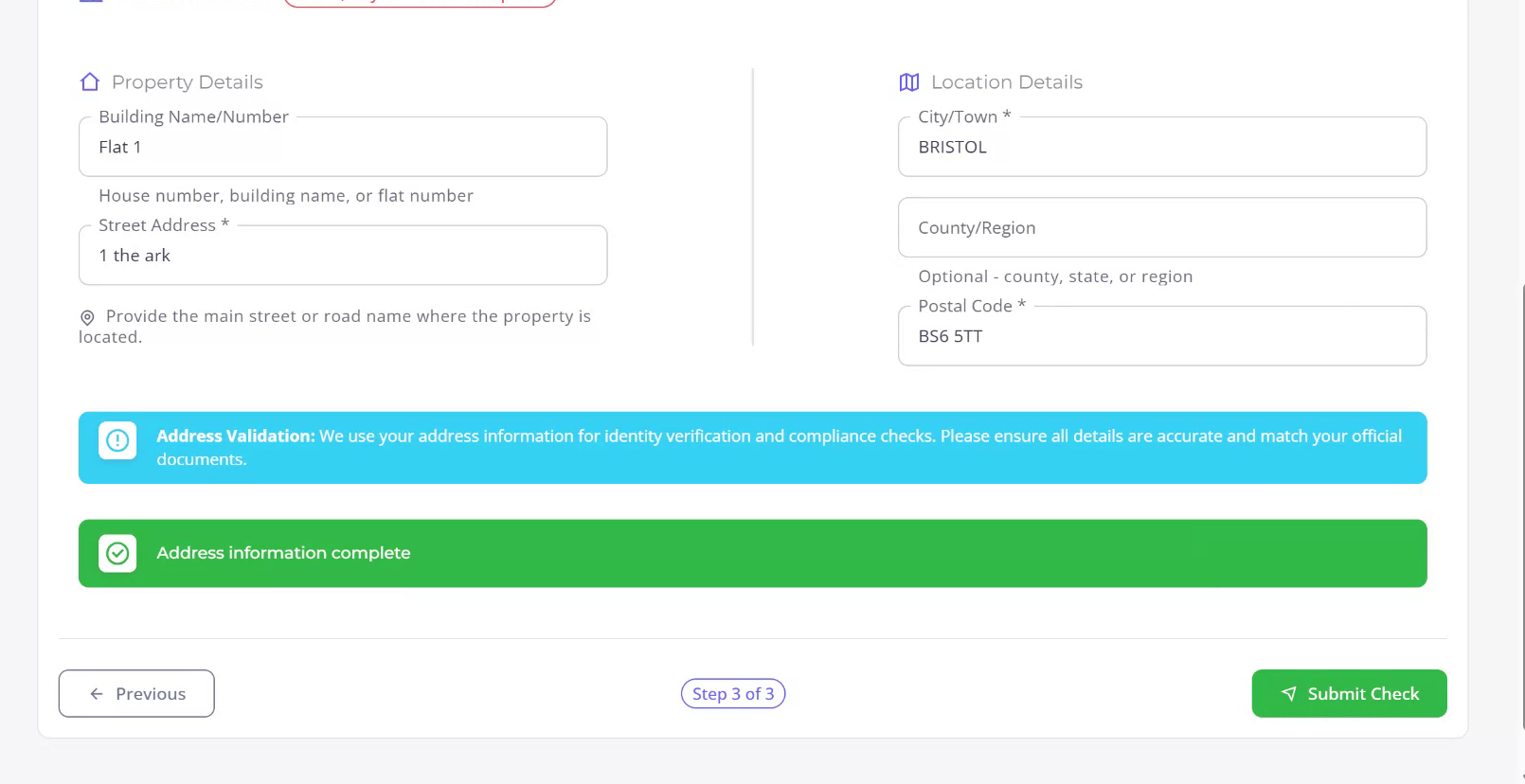
Step 5
You are now ready to submit the Right to Rent check.